Parking Check-In App Client product
Mobile app + PHP API · by Shahrukh Sheikh
Operations · React Native · PHP · MySQL · Android
A register book, rebuilt for the gate.
A parking attendant has seconds per car. This app logs a vehicle in with a type and a plate (typed or scanned), works out the charge from the entry time, logs it out with one tap, prints a slip on a Bluetooth printer, and gives the owner an earnings report for any dates. Every attendant has their own login.
Per-staff logins · Server-side pricing · Plate scanner · Bluetooth receipts · Screens are renderings from the code
At a glance
The app in numbers
3
Everyday roles
Admin, entry attendant and exit attendant. Each sees only the screens their job needs.
12
Feature switches
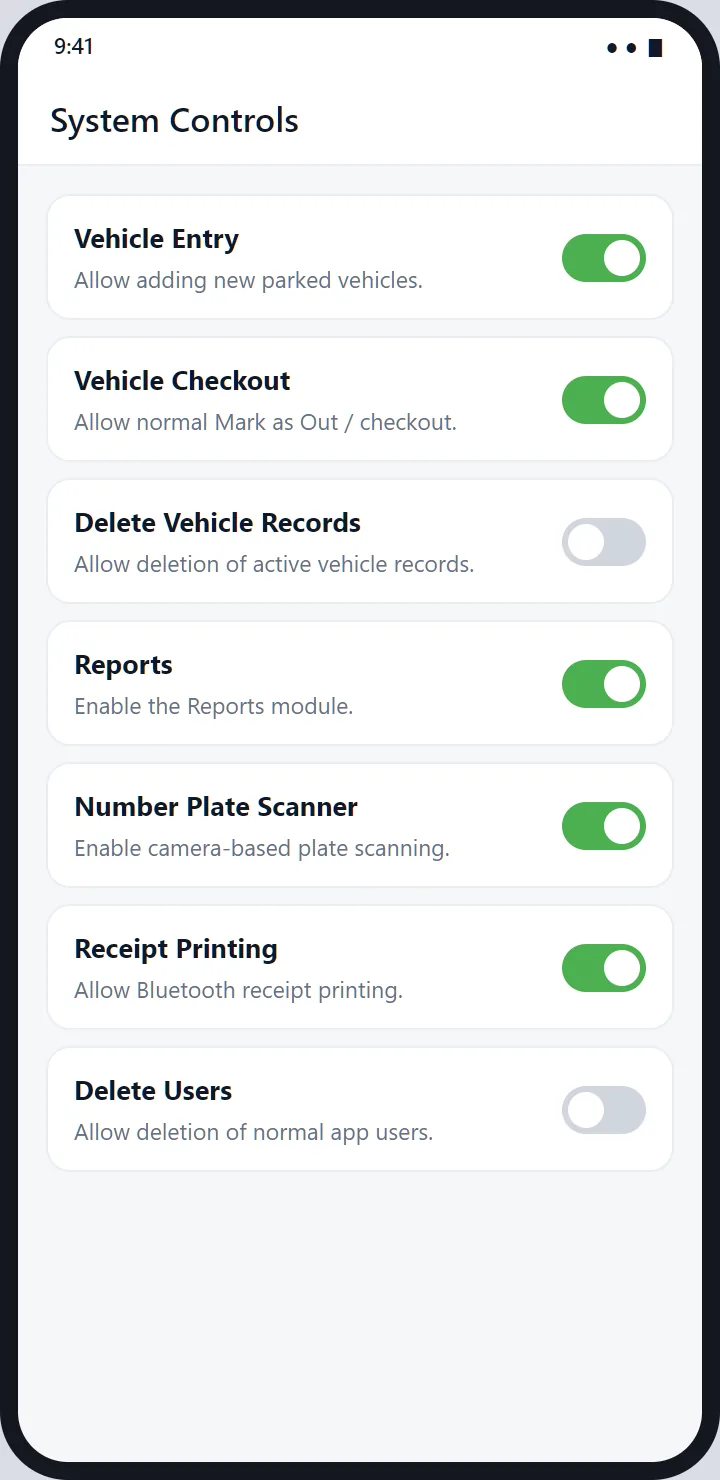
A hidden superuser can turn parts of the system on or off from one screen.
1
Record per stay
Entry and exit are the same row, so duration and category are never retyped.
0
Prices decided by the phone
The server works out every amount from its own clock and the category's rates.
Why it exists
Most parking software is a spreadsheet wearing a login screen.
A parking desk doesn't need more fields to fill in, it needs fewer. The real requirement was a check-in fast enough to survive a queue of cars building up behind the one at the gate, with pricing that doesn't depend on someone doing sums, and an end-of-day total that matches the cash in the drawer.
So every screen exists for one step at the gate: add a vehicle, mark it out, see what's inside, see what was earned, and set up the rates once. Nothing else is on the screen.
How a vehicle moves through it
From the gate to the day's report in six steps.
Arrive
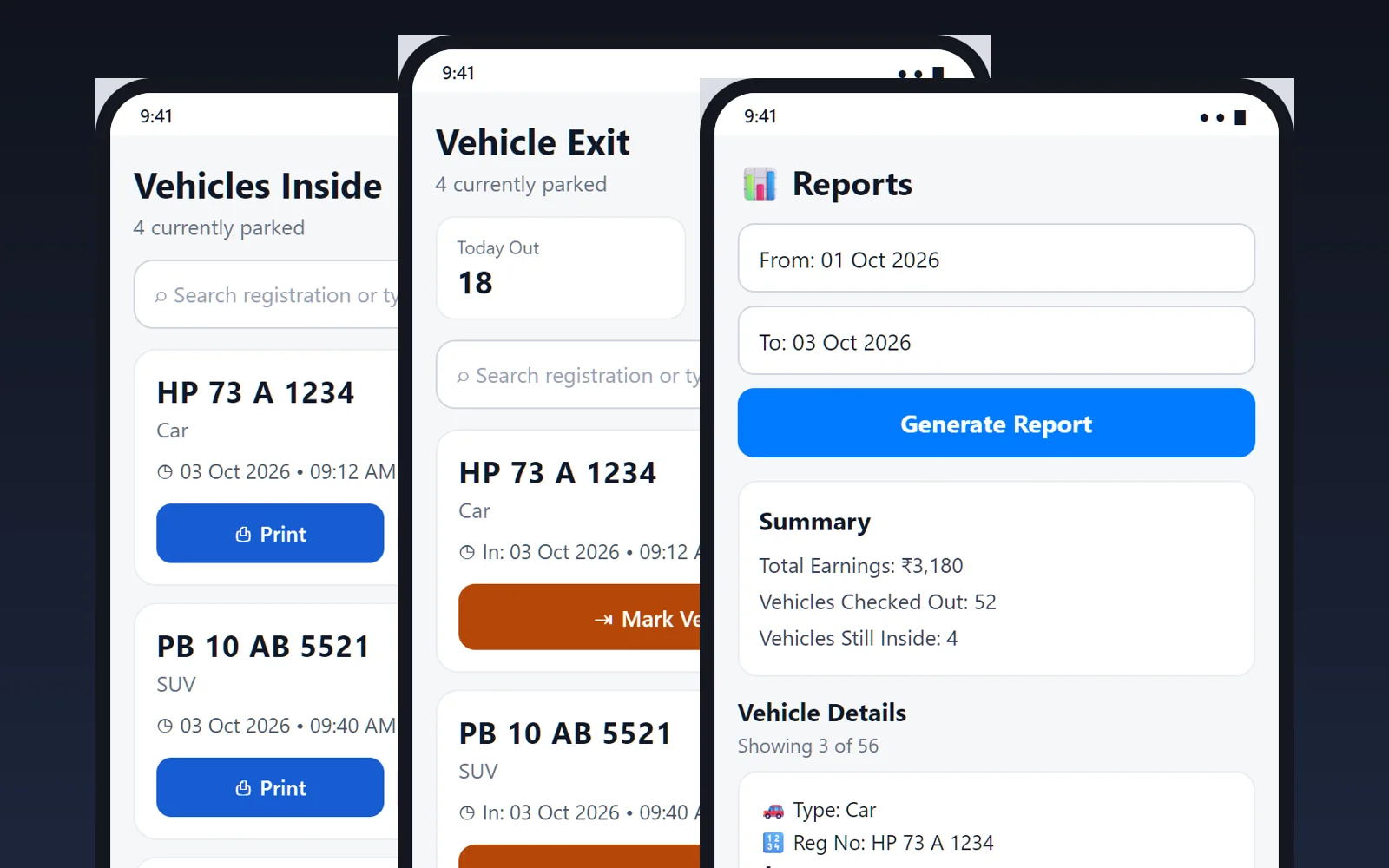
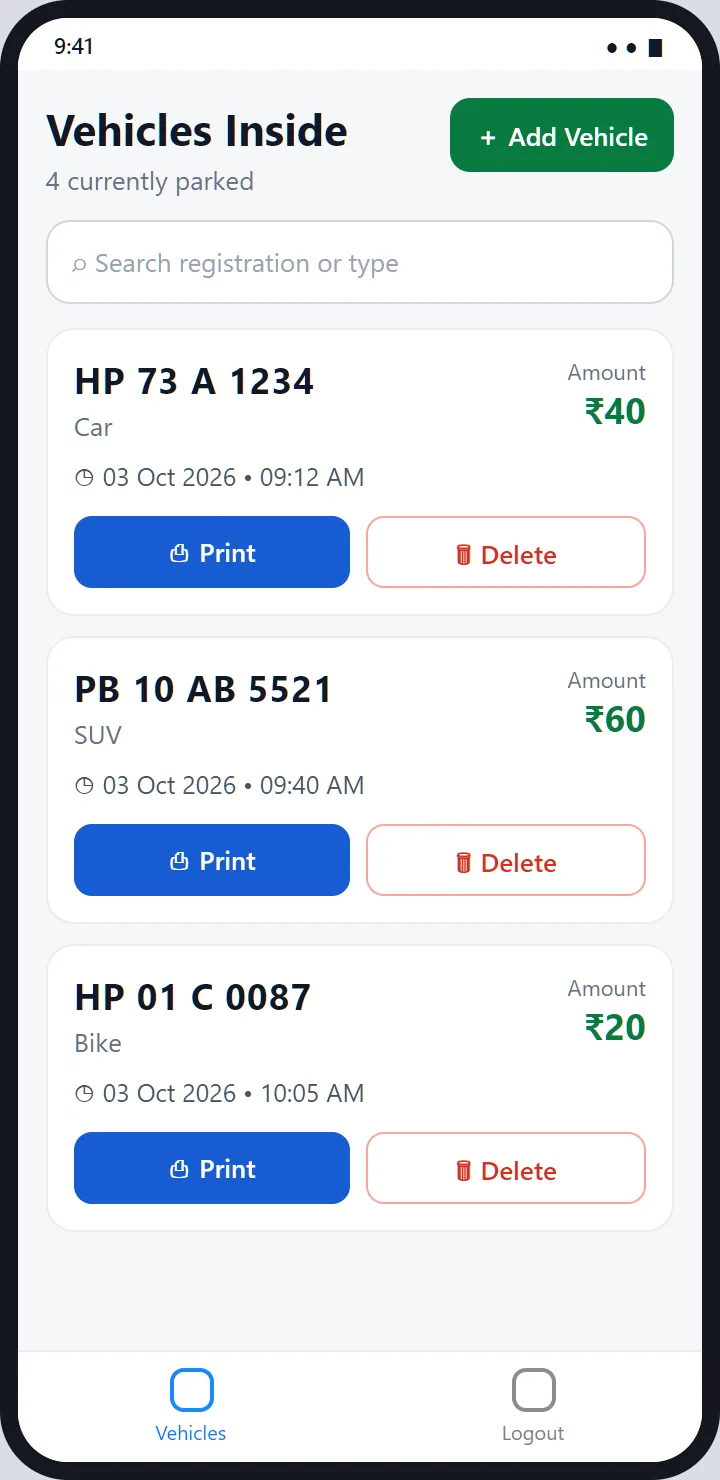
The entry attendant opens Vehicles Inside and taps Add Vehicle.
Log
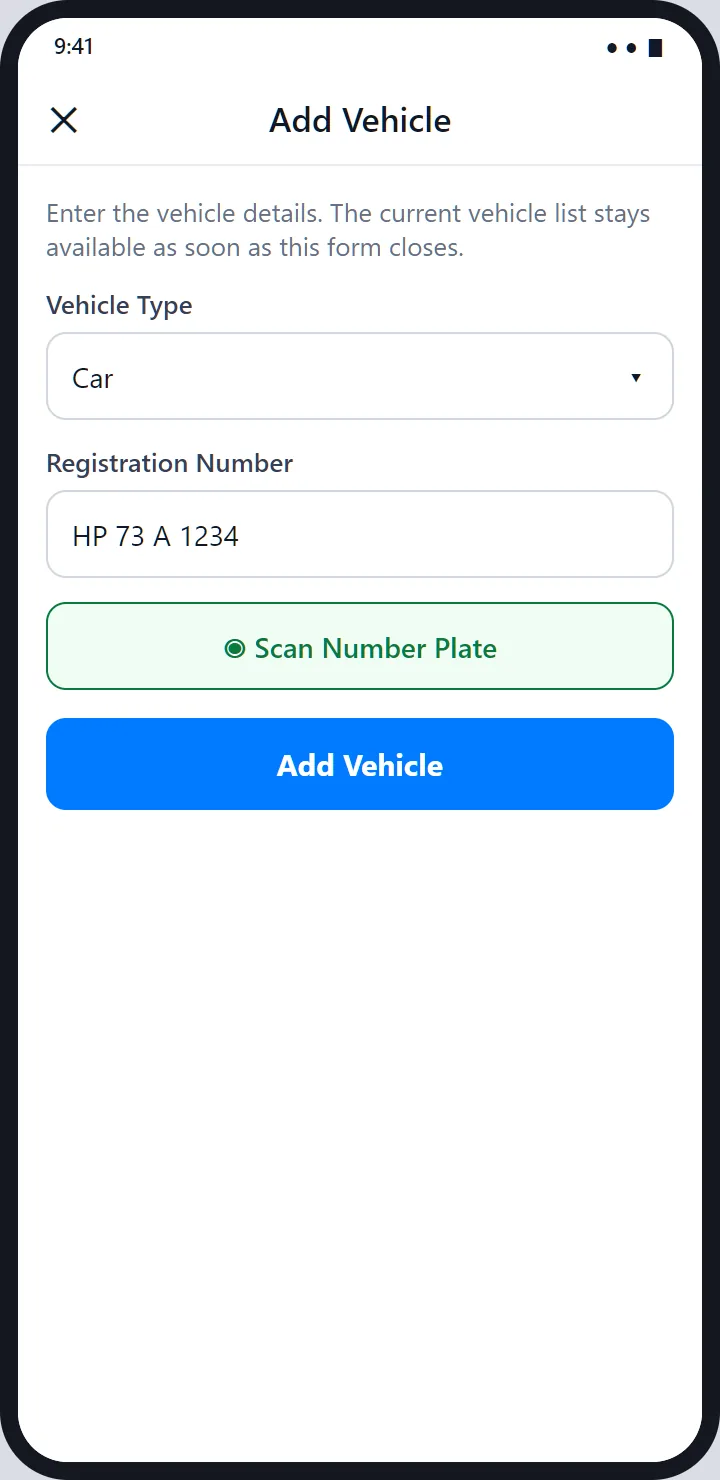
Pick the type, type or scan the plate, and save. The server stamps the time.
Print
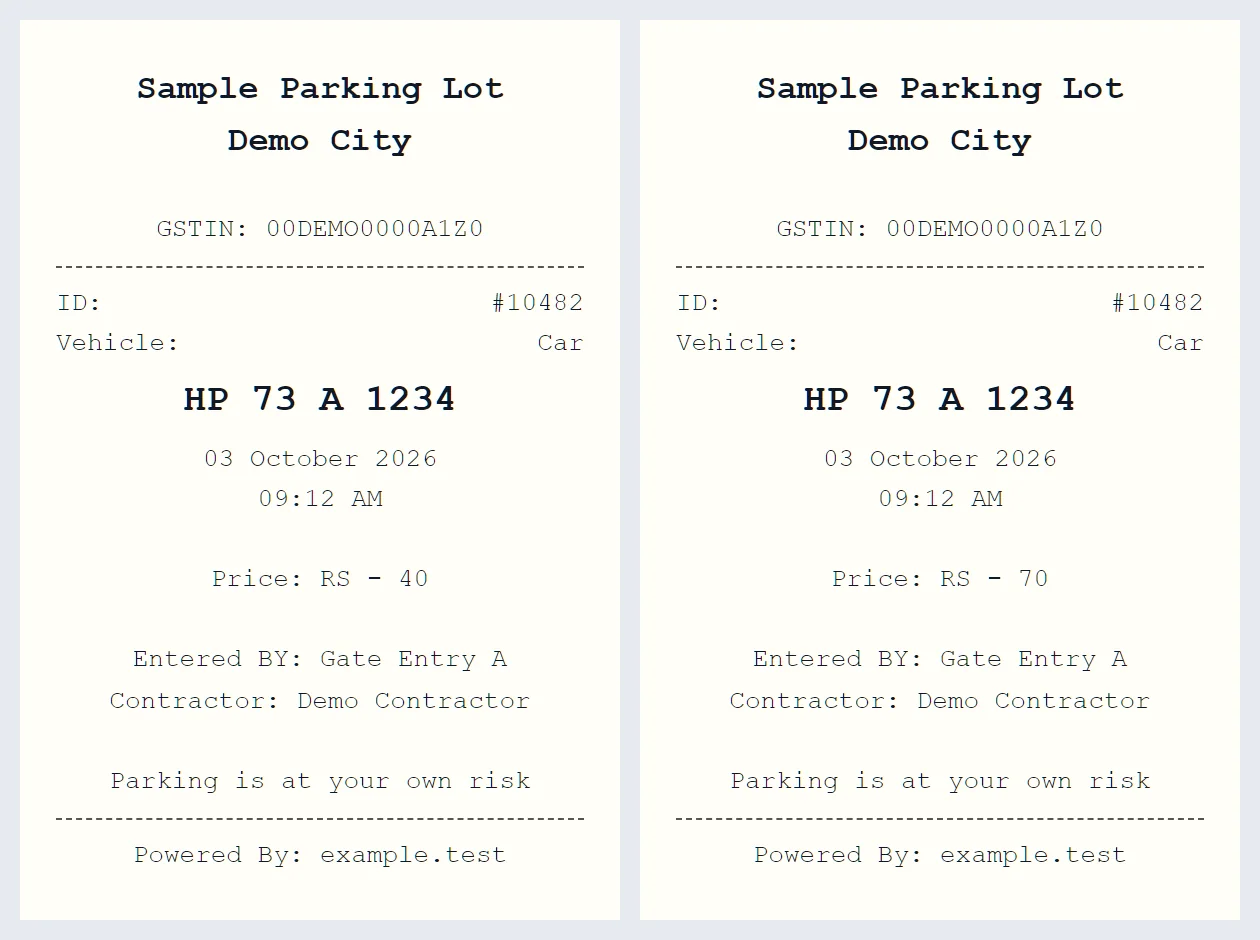
A slip with the number, plate, time and price prints on the Bluetooth printer.
Leave
The exit attendant finds the vehicle and taps Mark Vehicle Out.
Charge
The server prices the stay and the exit slip prints with the final amount.
Report
The owner picks dates and sees earnings and every vehicle's amount.
The screens
What the attendant and the owner see.
Design renderings drawn from the app's code
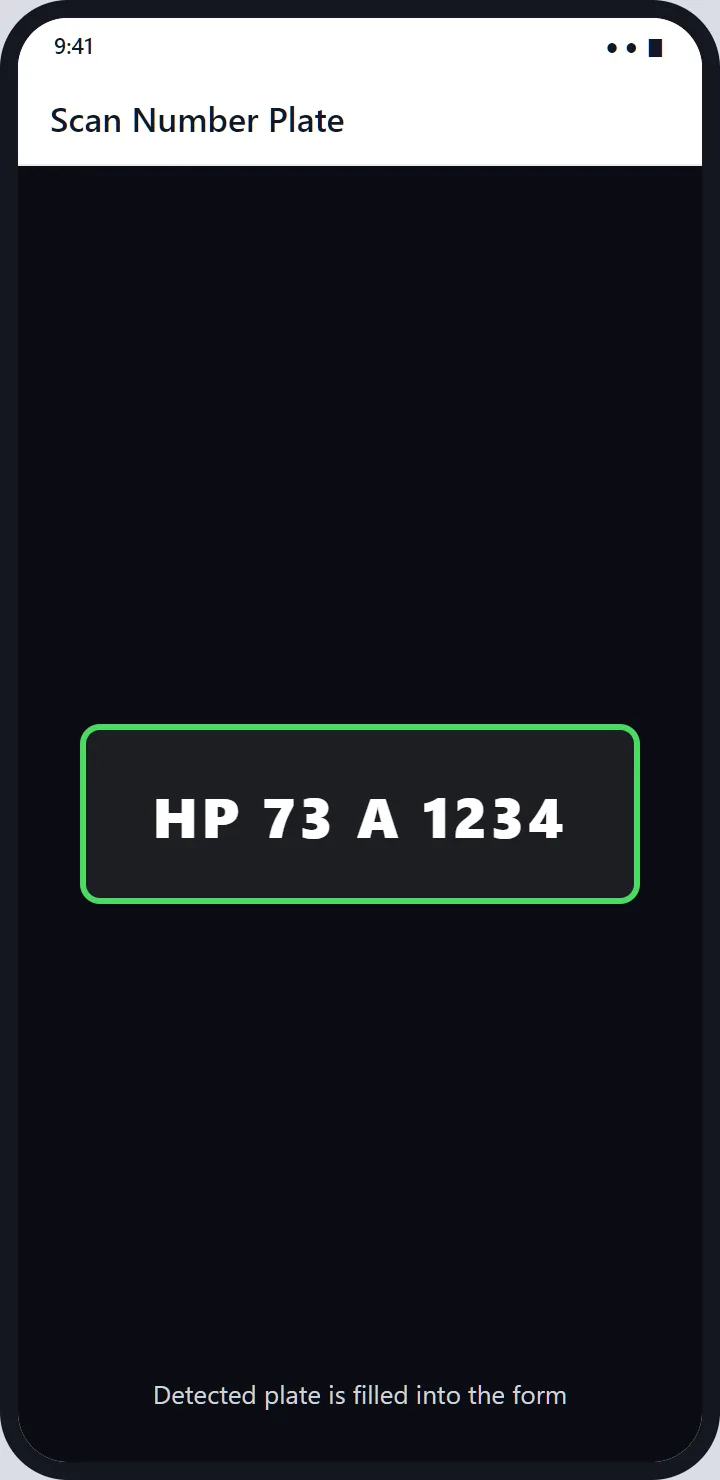
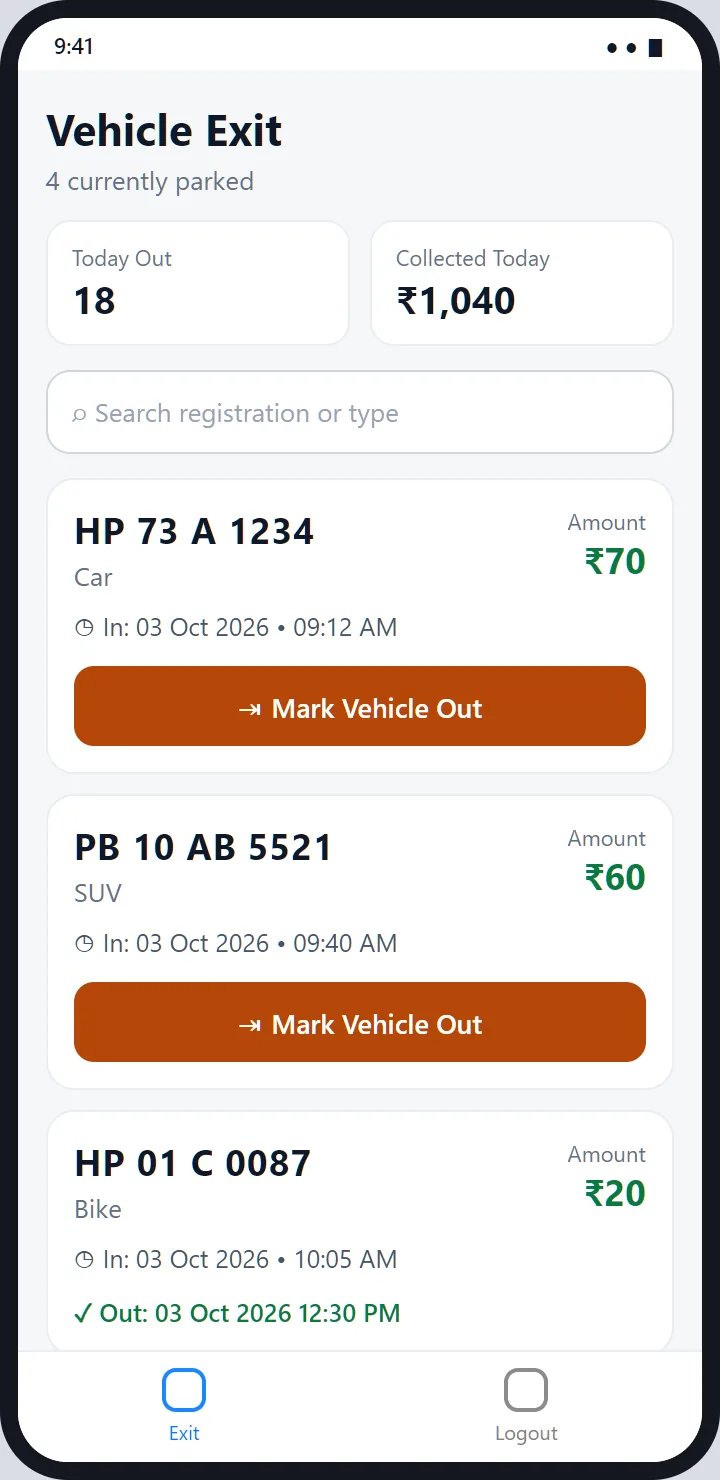
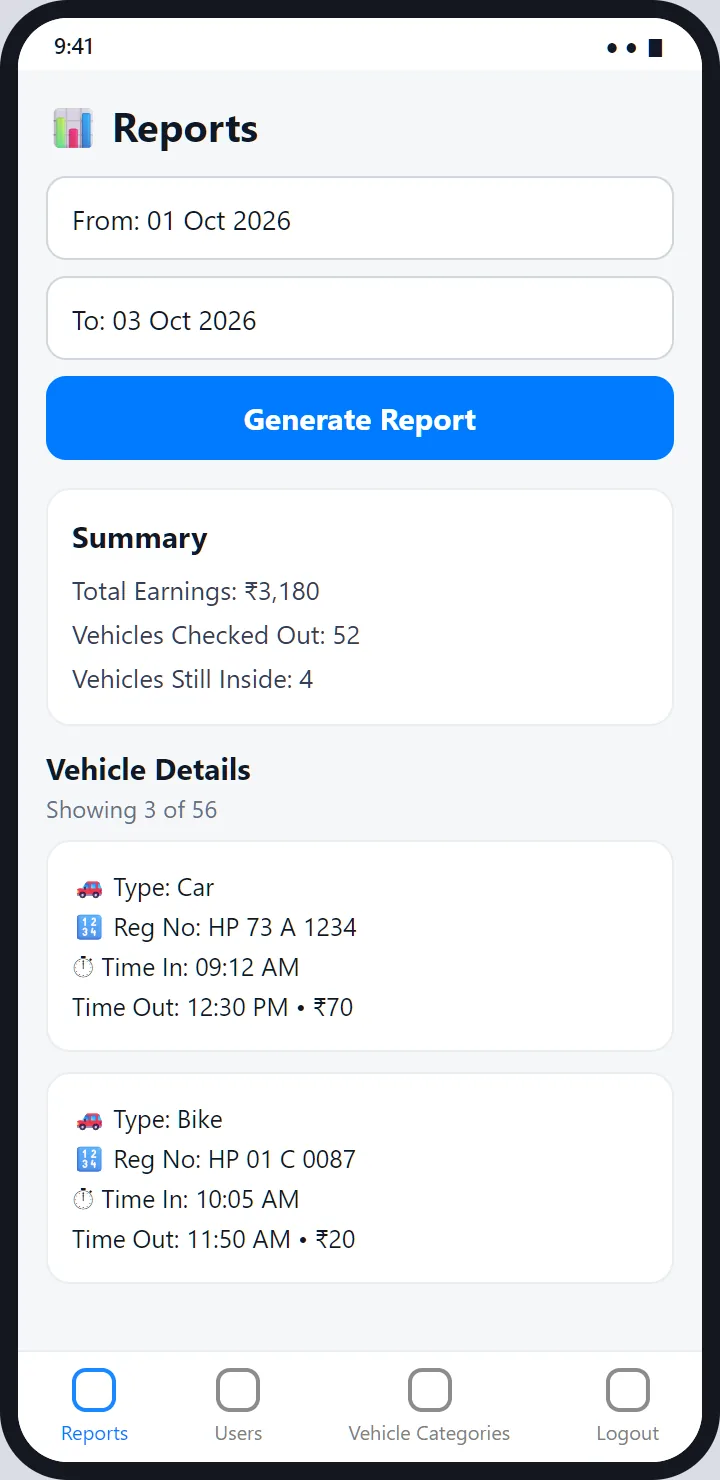
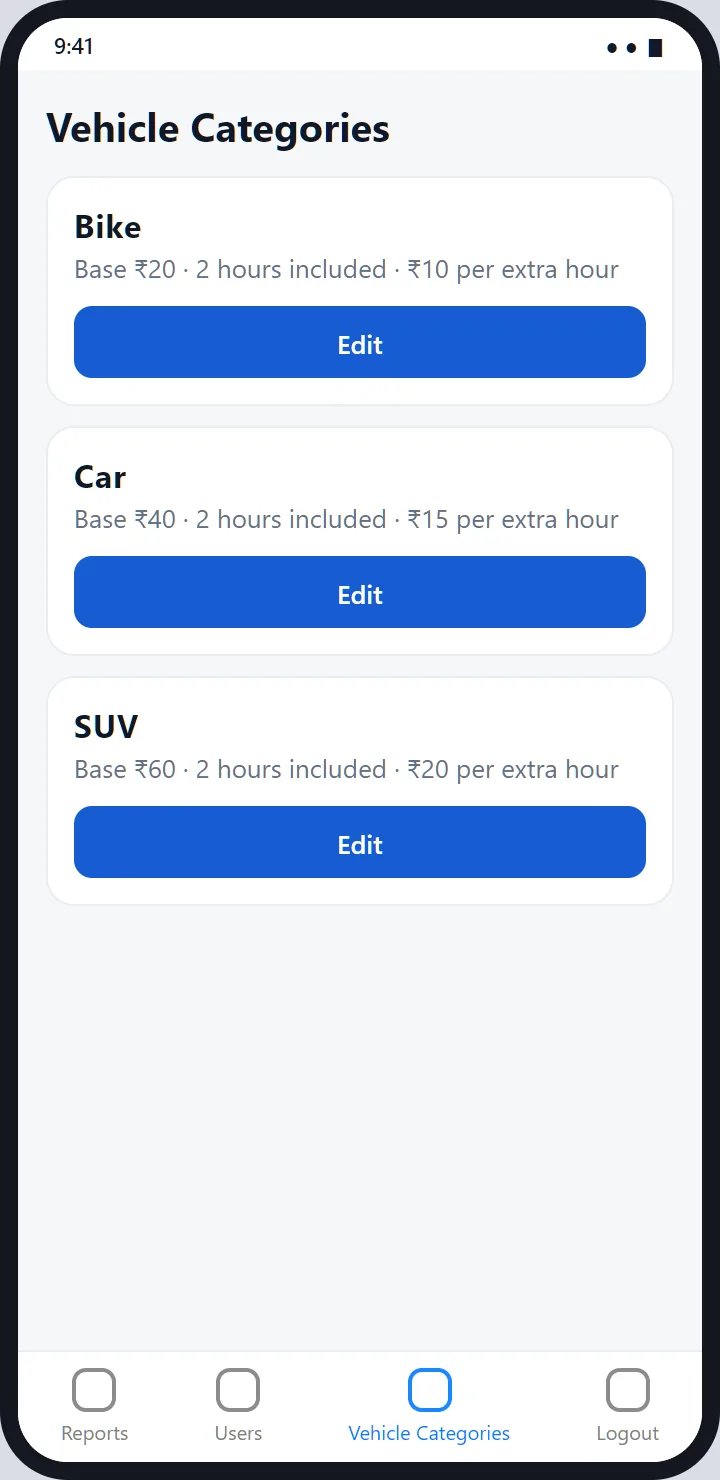
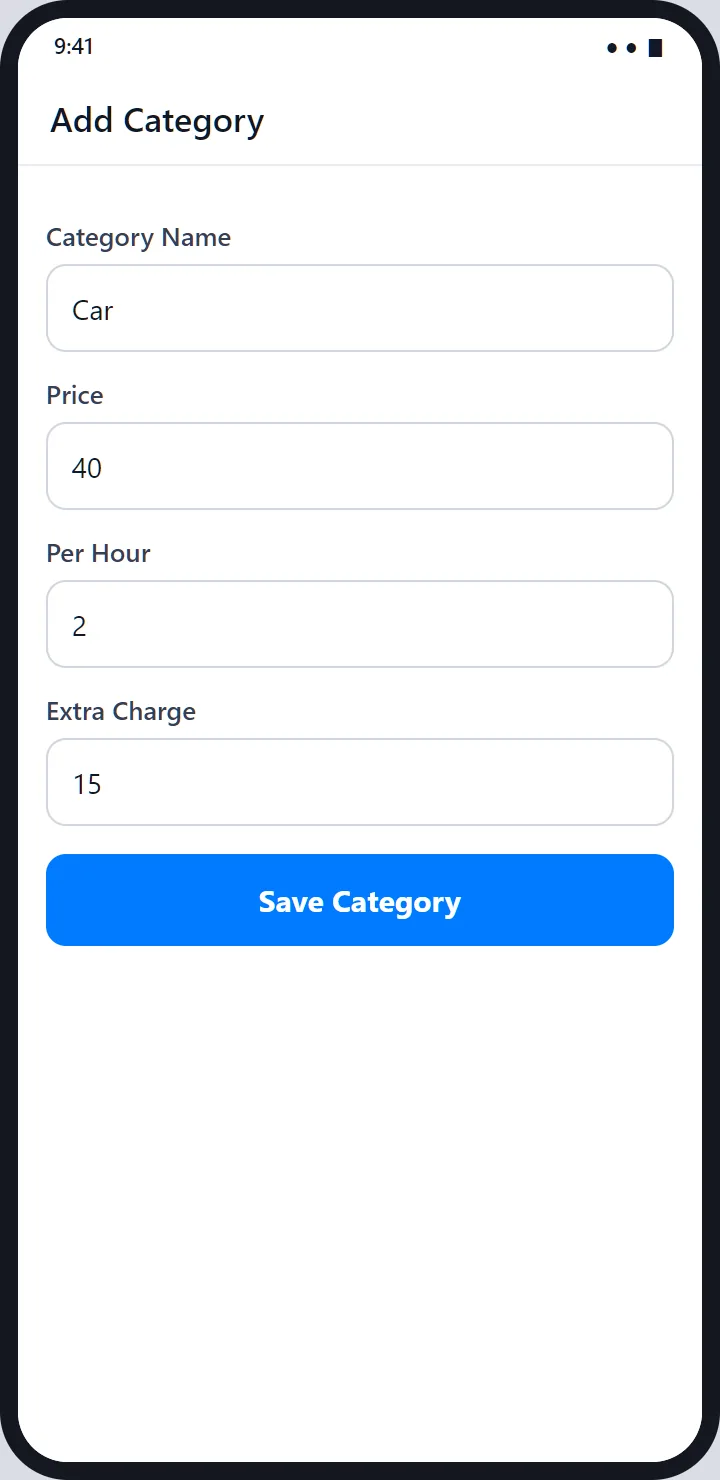
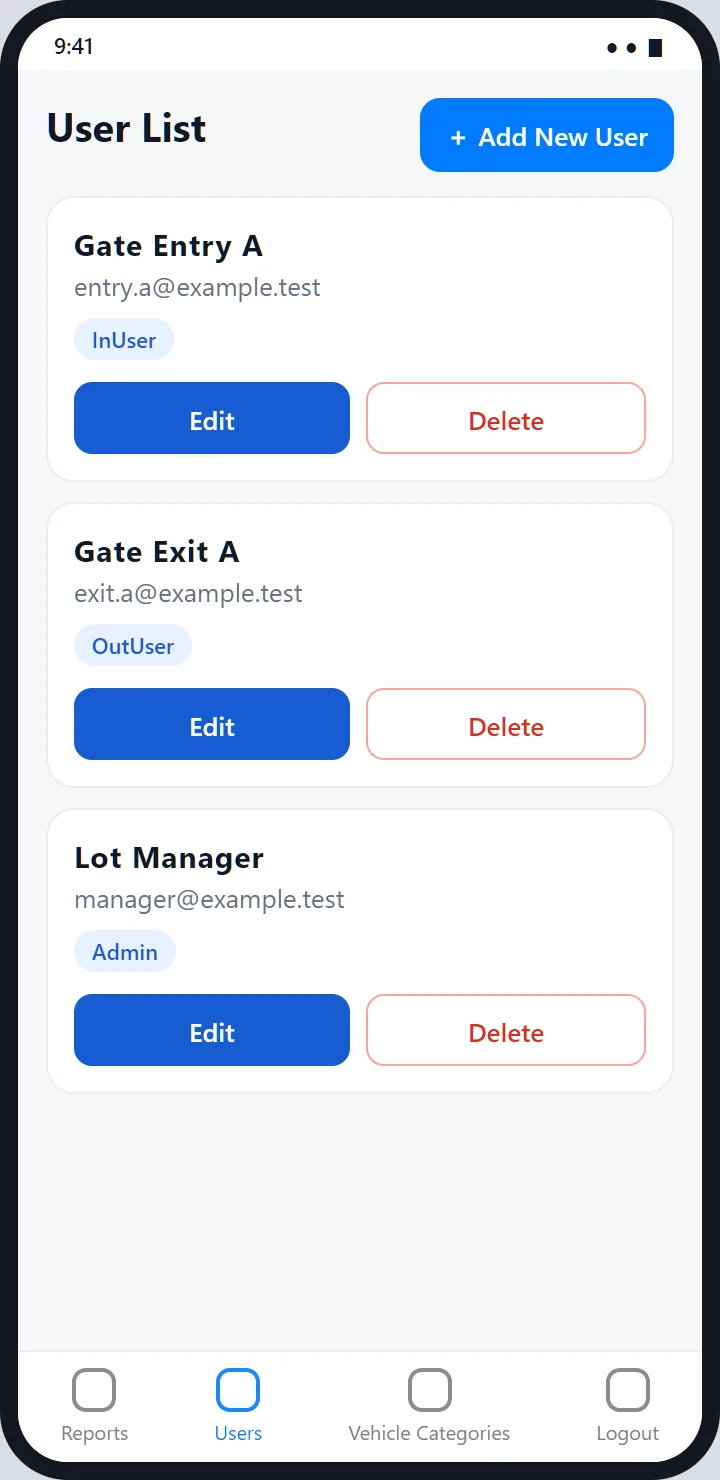
The Android toolchain isn't installed on my computer right now, so I couldn't run the app for this page. These screens are drawn from its source code: the colours, labels, tabs, buttons and what each screen shows come from the code, the data is invented, and exact spacing is approximate.
At the gate
For the owner and the admin
Pricing
A base price, some included hours, and an extra charge per started hour.
Every vehicle category has three numbers, set up once by an admin: a price, the hours that price covers, and an extra charge. Once the included hours are used up, every started hour costs the extra charge, so 1 hour 10 minutes over is billed as two hours. This example uses invented rates.
Car rate
₹40
Covers 2 hours. ₹15 for each extra started hour.
Parked
3 h 18 m
09:12 AM to 12:30 PM.
Extra time
2 hours
1 h 18 m over the 2 included, rounded up.
Total
₹70
₹40 + 2 × ₹15.
The amount on the Vehicles Inside list keeps counting up while a vehicle is parked, because the server recalculates it each time the list loads.
Every feature
Everything the app does.
Entry
- Add a vehicle with a type and a registration number.
- Scan the plate with the camera; the text is read on the phone.
- Search the vehicles inside by plate or type, and pull down to refresh.
- Print a slip for any vehicle, or delete a mistaken entry.
- Serial receipt numbers, given by the server.
Exit
- Mark Vehicle Out with one tap; the charge is worked out for you.
- An exit slip with the final price.
- Today's totals: vehicles out and money collected.
- Checked-out vehicles stay visible with their exit time.
Reports
- Pick a date range and generate a report.
- A summary of earnings and vehicles, and a per-vehicle list with the amount charged.
- Fifty records at a time, with a load-more button, so long ranges stay quick.
- Mark Out from a report for a vehicle that was missed at the gate, when that switch is on.
Staff and setup
- Individual accounts with a role: Admin, InUser or OutUser.
- Add, edit and delete users and vehicle categories.
- Role-based screens: each role sees only its own tabs.
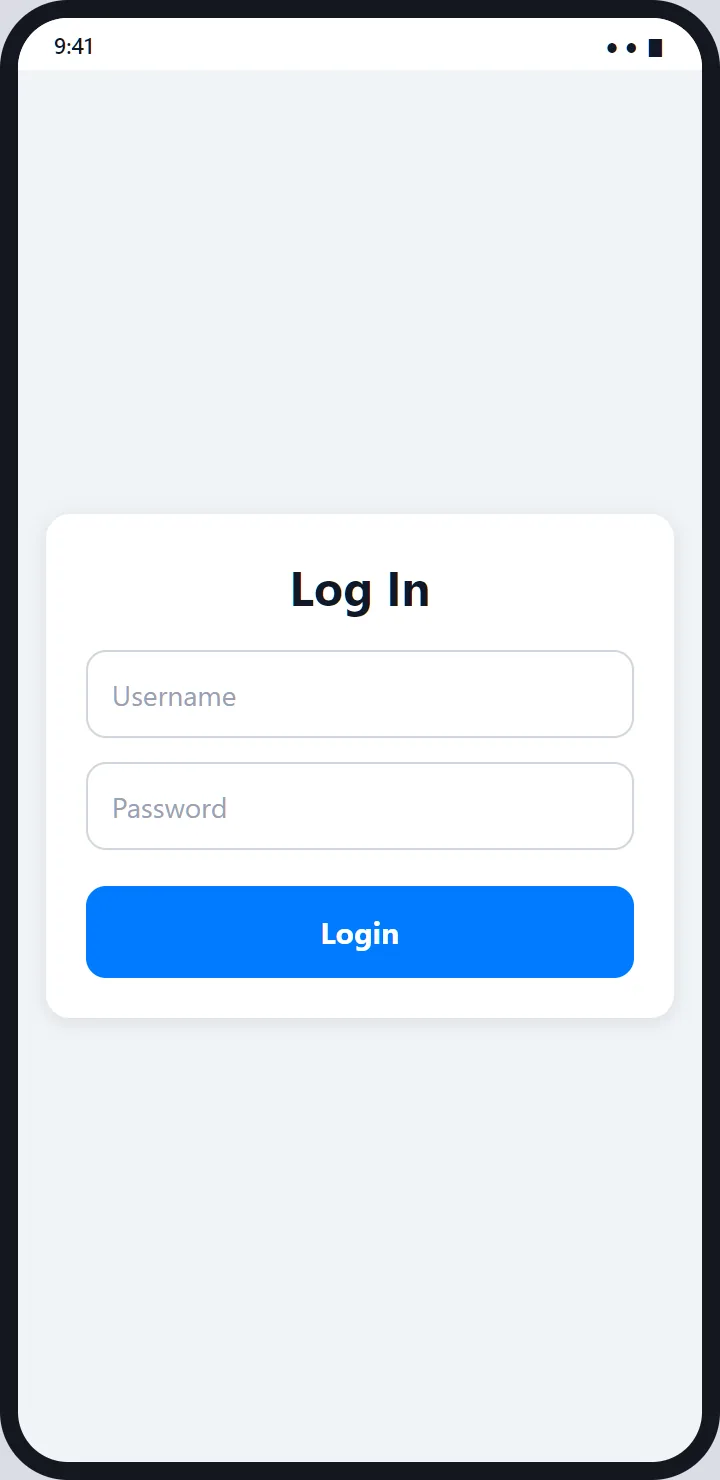
- The session is remembered, so staff aren't logging in on every car.
Control
- Twelve switches for adding, editing and deleting users and categories, entering and deleting vehicles, checkout, reports, report mark-out, the scanner and printing.
- A hidden superuser role, whose session token lasts 12 hours and is stored only as a hash.
- The server enforces the switches too, not just the app.
Printing
- Bluetooth thermal printers, with the permissions Android 12 and later ask for.
- A print queue: one job at a time, and one retry for a job that fails.
- Receipt text from one file: title, place, tax number, contractor name and disclaimer.
Built with
The stack.
| App | React Native 0.79 with React 19 and React Navigation, in JavaScript. |
| Camera and OCR | react-native-vision-camera and Google ML Kit text recognition, on the device. |
| Printing | react-native-thermal-printer over Bluetooth, behind a small queue. |
| Server | About twenty small PHP endpoints using PDO prepared statements. |
| Database | MySQL: users, vehicle categories, parking records, app settings and superuser sessions. |
| Runs on | Android phones. The iOS project exists but isn't what the printing code is written for. |
Being honest
What it doesn't do.
- These screens are renderings, not screenshots, because I couldn't run the app for this page.
- It needs the server. There is no offline mode for logging vehicles in or out.
- Plates with some state codes may not scan. The text clean-up swaps letters like O, I, S, Z and B for digits across the whole string, which can break plates whose state letters include them.
- One receipt number at a time. Numbers are the next number after the latest record, with no lock, so two entries at the same instant could clash.
- One printer path: Bluetooth thermal printers on Android.
- Receipt details are in a file, so each client needs its own build.
- No automated tests beyond the project's default one.
- No payments: it records and prices stays, the cash is taken at the gate.
FAQ
Questions people ask first.
Are these screenshots of the app?
No, and I'd rather say so plainly. The Android toolchain isn't installed on my computer at the moment, so I couldn't run the app. These are renderings I drew from the app's source code, with invented data: the colours, labels, buttons, tabs and flows come from the code, and exact spacing is approximate.
How is the parking charge worked out?
Each vehicle category has a base price that covers a number of included hours, plus an extra charge for every started hour after that. The server works it out from the entry time and its own clock, so a phone with the wrong time or a tampered request can't change the amount.
Does it print a receipt?
Yes, to a Bluetooth thermal printer, on entry and on exit. Print jobs are queued so two taps can't collide, and a failed job is retried once after a short pause. The receipt header, tax number and disclaimer come from one settings file.
How does the plate scanner work?
The attendant taps Scan Number Plate, the camera takes a photo, on-device text recognition (Google ML Kit) reads it, and the app looks for a plate-shaped pattern and fills the registration field. The attendant checks it before saving. Nothing is sent anywhere for recognition.
Who can do what?
Three everyday roles: Admin (reports, users, vehicle categories), InUser for the entry gate and OutUser for the exit gate. A fourth, hidden superuser role has a System Controls screen with twelve on/off switches for the whole system.
What happens if the phone loses signal?
The app needs the server to log a vehicle in or out, so it does not work offline. One case is handled on purpose: if the app can't fetch its feature switches, it assumes everything is on and keeps going, so a settings hiccup doesn't stop the gate.
Can I get this for my parking lot?
It was built for parking operators and is set up per client, with their own name, tax number and rates. Get in touch.
Want the build story: why the server owns the price, how the feature switches work, and what the plate scanner gets wrong?
Read the case study