Hospital Management SaaS Built · pre-launch
Web app and Windows app · by Shahrukh Sheikh
Healthcare · PHP 8 · MySQL · Flutter · A database per hospital
One hospital system, sold as a subscription to many hospitals.
A hospital runs on five desks that rarely share a screen: reception, wards, pharmacy, the lab and the cashier. This system puts all five in one place, gives every hospital its own private database and its own set of modules, and comes with the Master Panel that bills them, so one person can run it as a business.
Pre-launch · Not yet sold · Every hospital's data kept apart · Screenshots use dummy data with masked names
At a glance
The system in numbers
1
Database per hospital
Each hospital gets its own database, created from one schema when it signs up. Platform data is held separately.
48+19
Tables
48 in every hospital's database and 19 in the platform's. About 32,000 lines of PHP in the web app.
6
Staff roles
Admin, staff, reception, lab, pharmacy and accountant, each with its own permissions that a hospital can adjust.
2
Ways to work
In a browser, or in a Windows desktop app that keeps registering patients when the internet drops.
Why it exists
The system worked for one hospital. The problem was everyone else.
It began as a working hospital system for a single hospital: patients, OPD visits, admissions, pharmacy stock, lab results and billing, off paper and into one place. The business problem appeared when a second hospital wanted it. Setting up another full copy by hand doesn't scale, and putting two hospitals' patients into the same tables is not something a medical product should do.
So it became a platform. One codebase serves many hospitals, each in its own database and each paying only for the modules it uses, and a separate Master Panel handles plans, invoices and support. The hospital staff never see that layer, and the platform never reads a hospital's patients.
What it covers
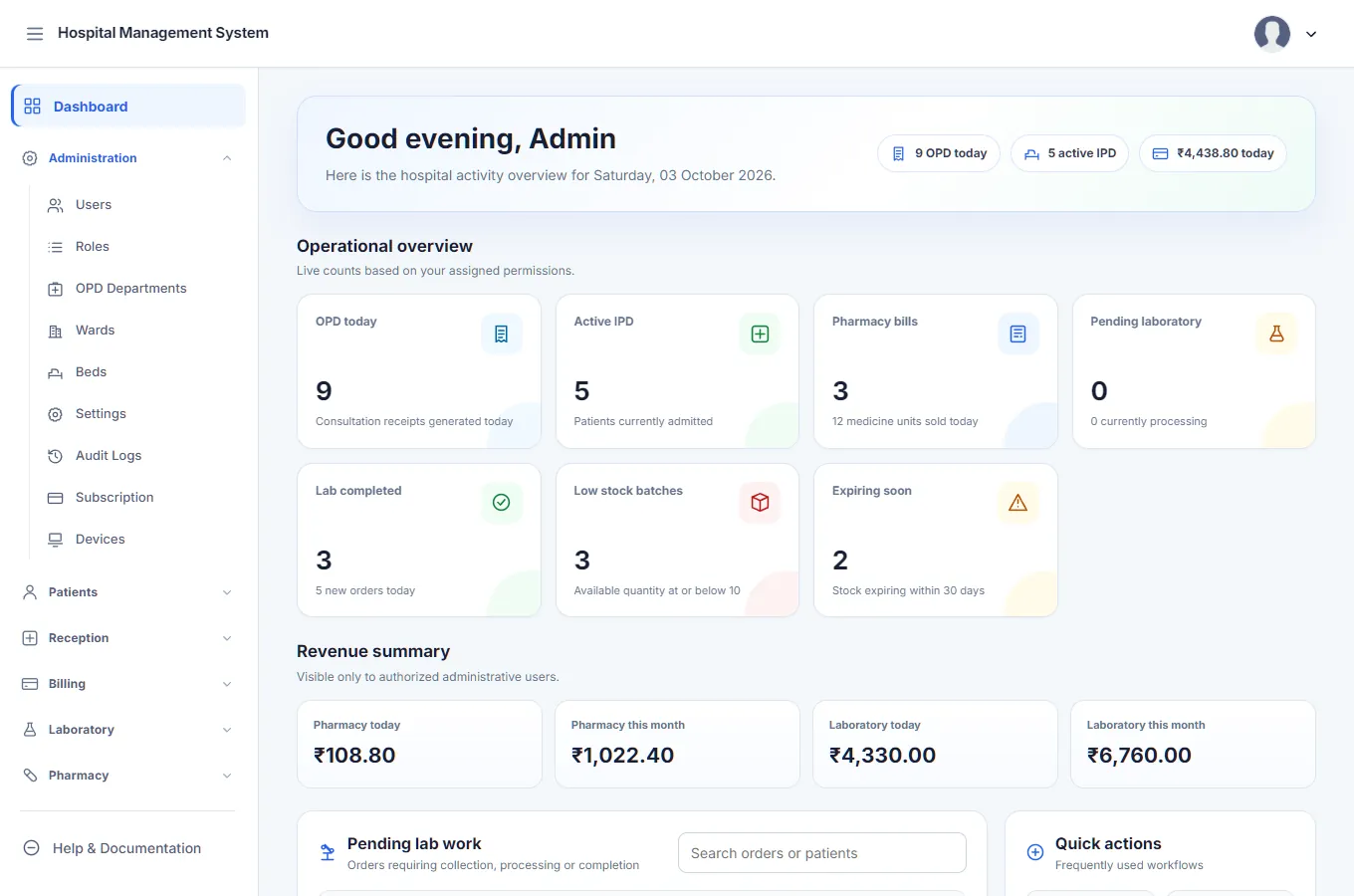
Every desk in a hospital, in one system.
Patients and OPD
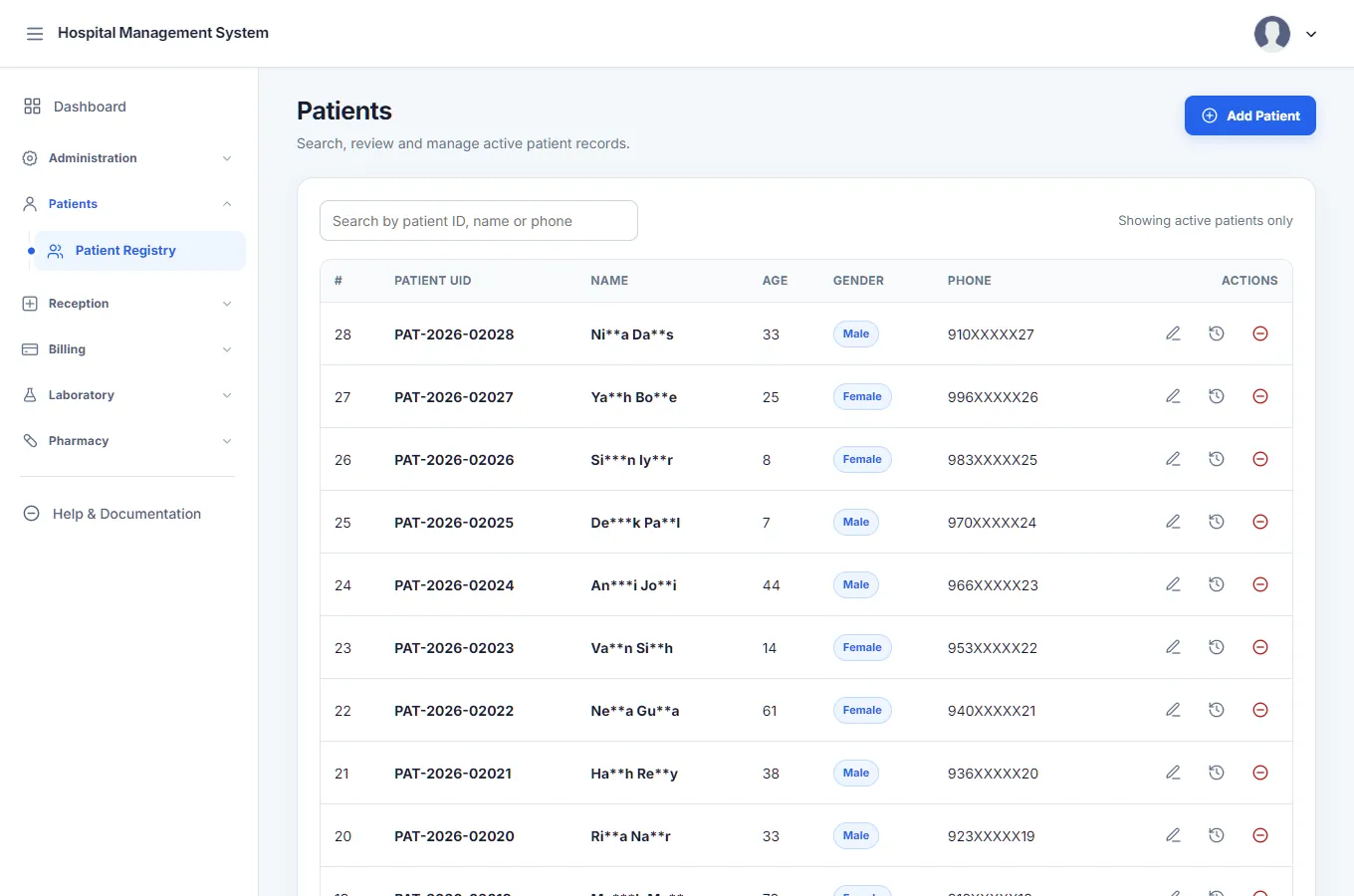
- A patient registry with history, so a returning patient is found, not retyped.
- OPD consultations from check-in to a printable receipt, by department.
- Patient search built into the billing screens, so the right person is picked quickly.
IPD (admitted patients)
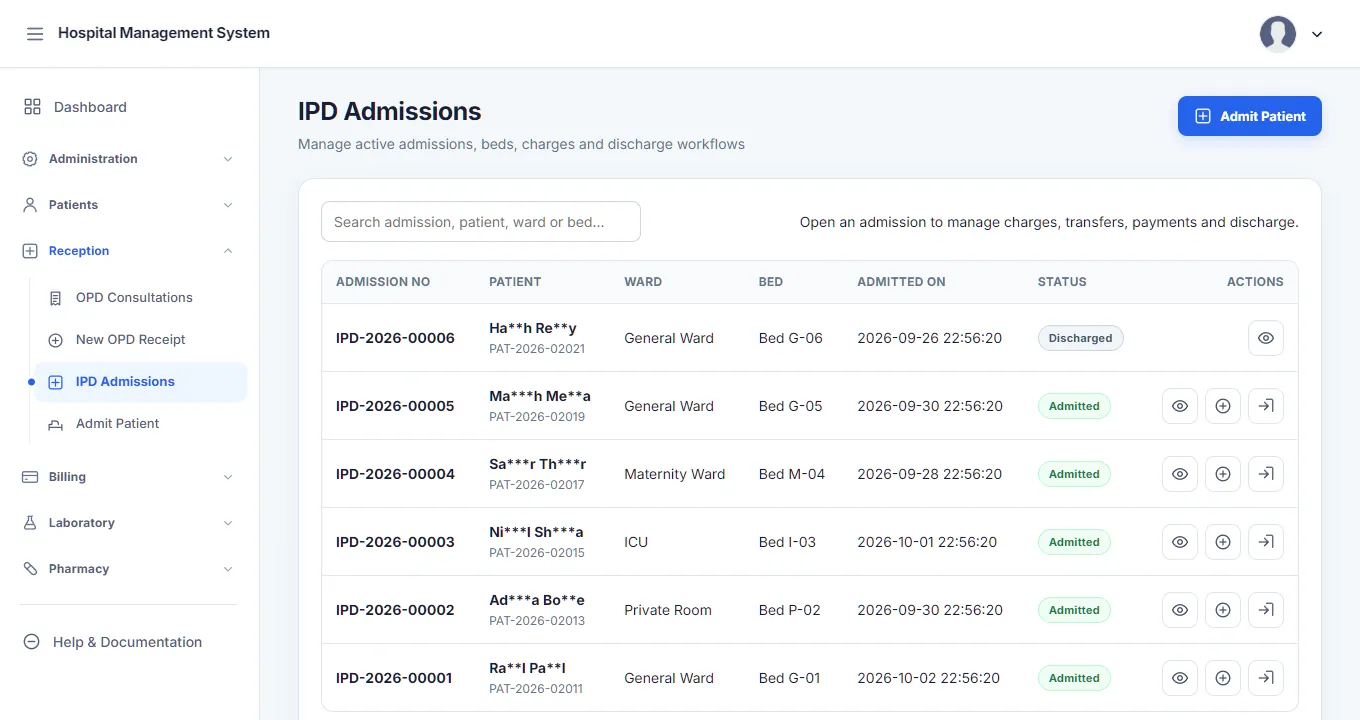
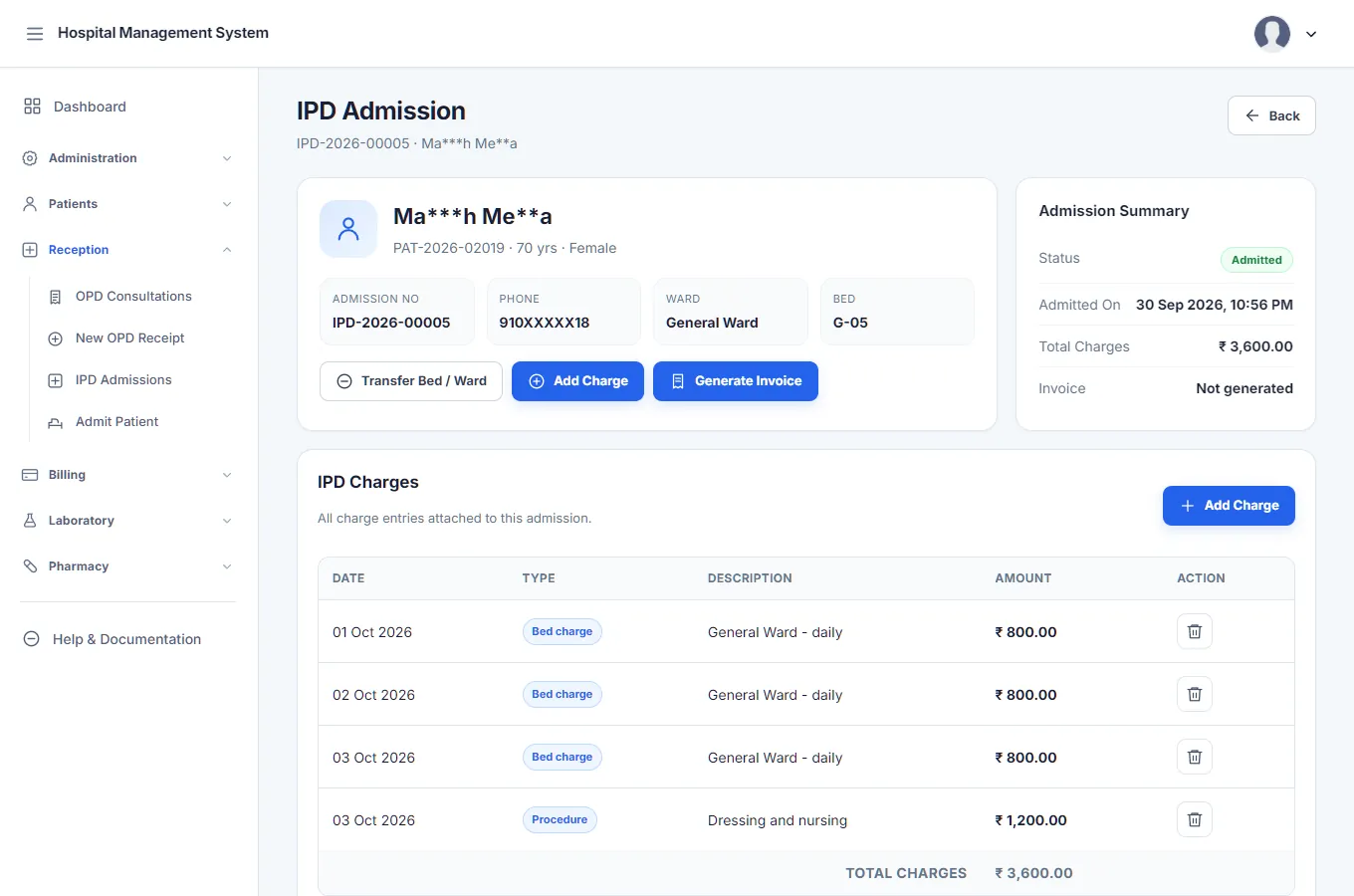
- Admission, ward and bed transfers, and discharge.
- Charges added during the stay, collected payments and refunds.
- A financial ledger for each admission, kept apart from OPD billing, with an invoice at discharge.
- A bed that holds a live admission can't be overwritten by a setup screen.
Pharmacy
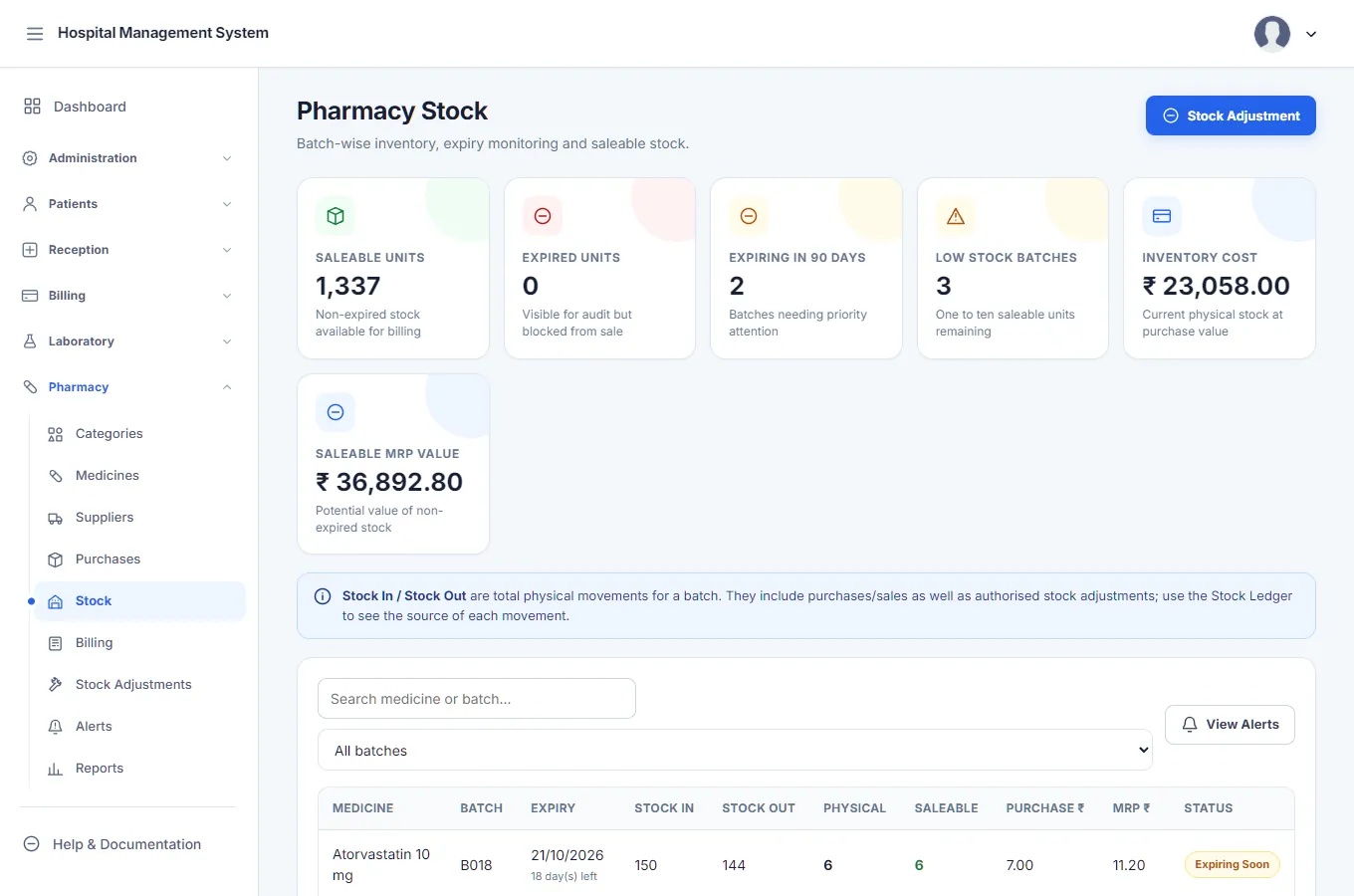
- Medicines by batch and expiry, with prices per batch.
- Purchases from suppliers with weighted-average cost when the same batch is received again.
- Sales, returns and GST on the bill.
- Stock adjustments with a reason code (damage, theft, count correction) and a ledger trail.
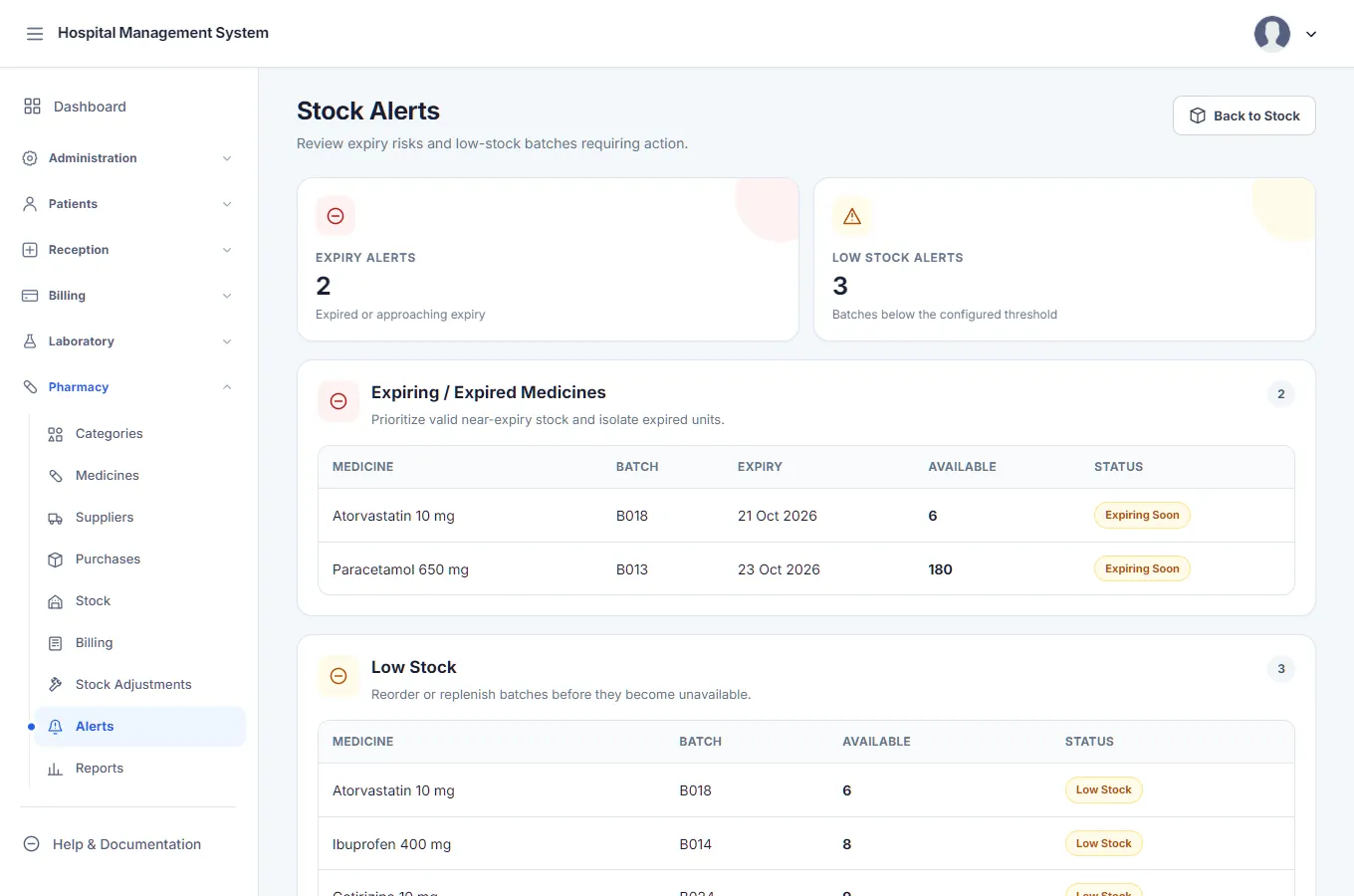
- Alerts for stock expiring within 30 days and for stock of 10 units or fewer.
Laboratory
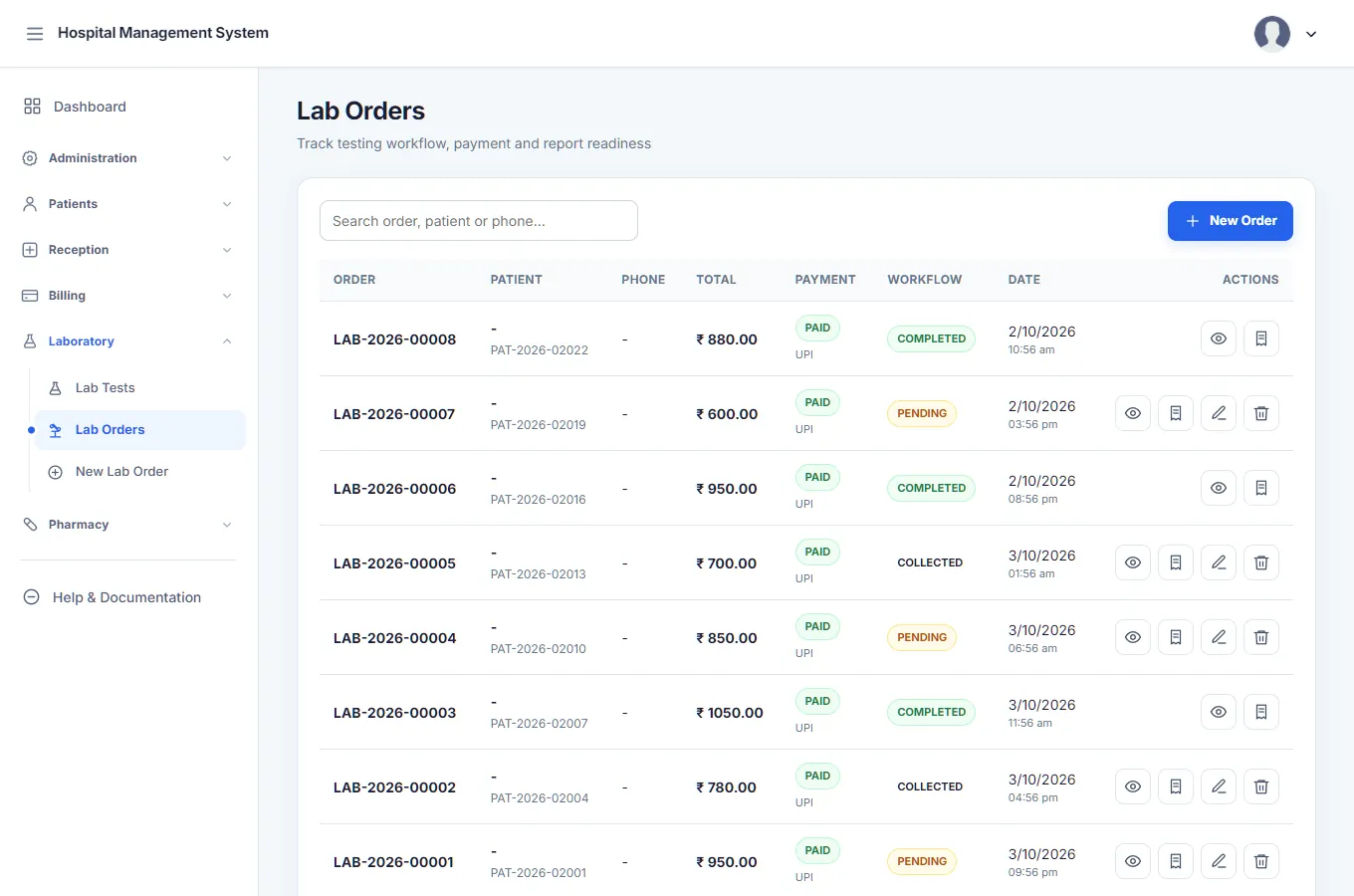
- Test orders with their own billing and receipt.
- Results by parameter, not one free-text box, including values calculated from a formula of other results.
- Validation and approval of each test on its own, then a printable report.
- A formula builder for lab staff, with a check that formulas don't loop back on themselves.
Billing and payments
- Miscellaneous billing for anything that isn't OPD, IPD, pharmacy or lab.
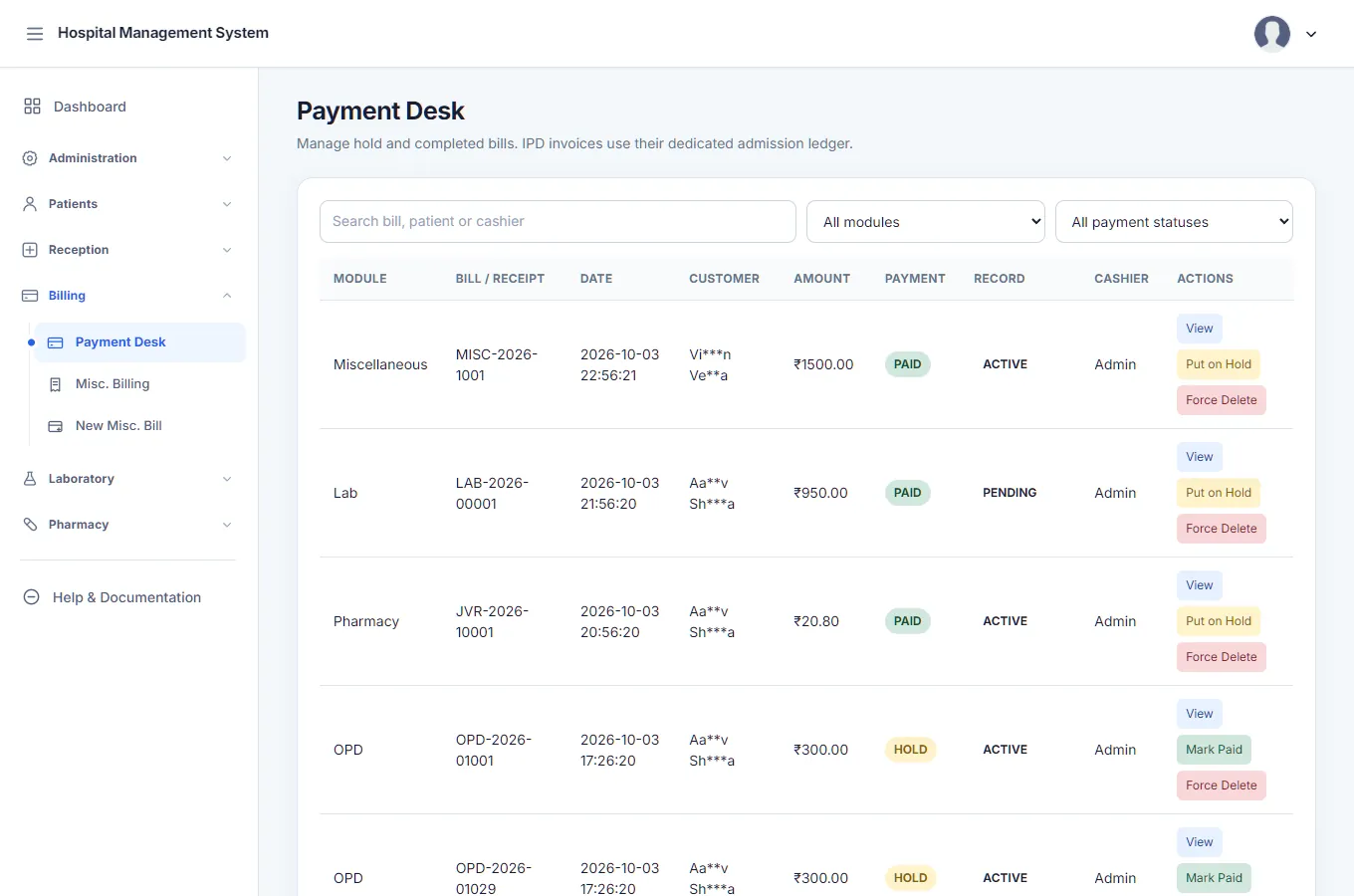
- A payments desk that lists what is outstanding across all five kinds of bill and collects it in one place.
- Print layouts with the hospital's own header, and amounts in words.
- Deleting a paid bill needs its own permission and a written reason, and is logged.
Admin and safety
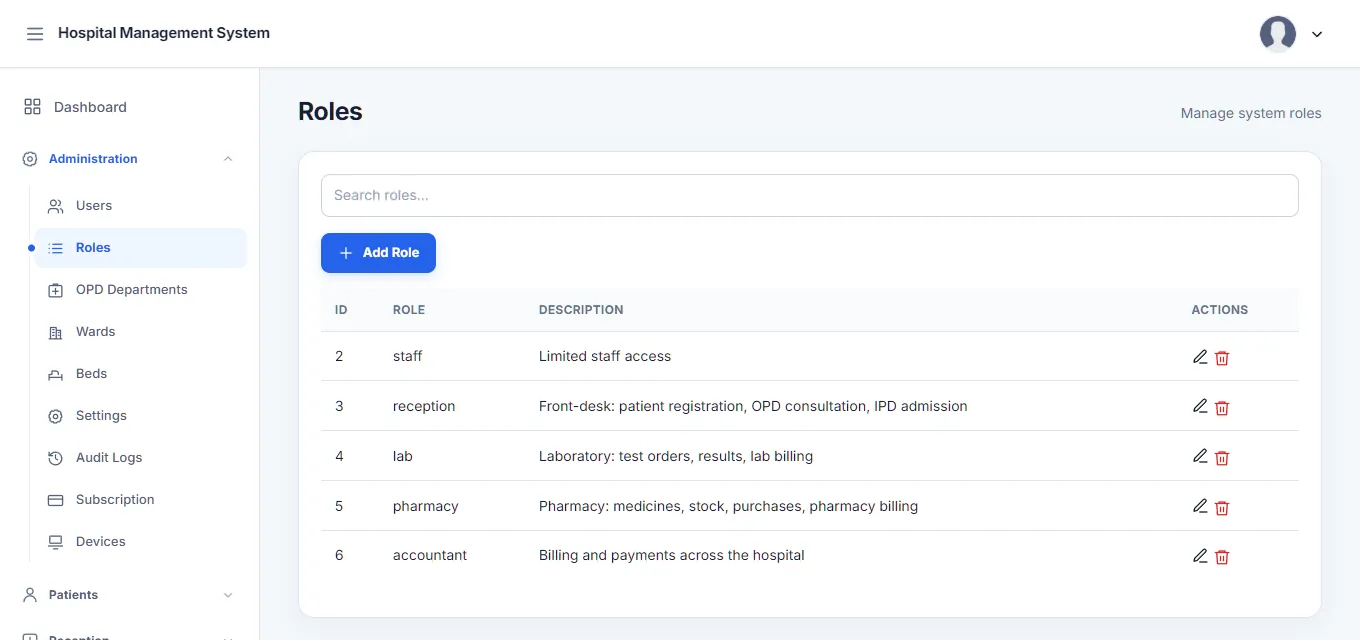
- Users, roles and a permission for every action, from "view patients" to "refund an IPD payment".
- Six ready-made roles that a hospital can still change.
- An audit log of who did what and when.
- Settings, a profile page and an in-app help centre.
The screens
The real app, on a dummy hospital.
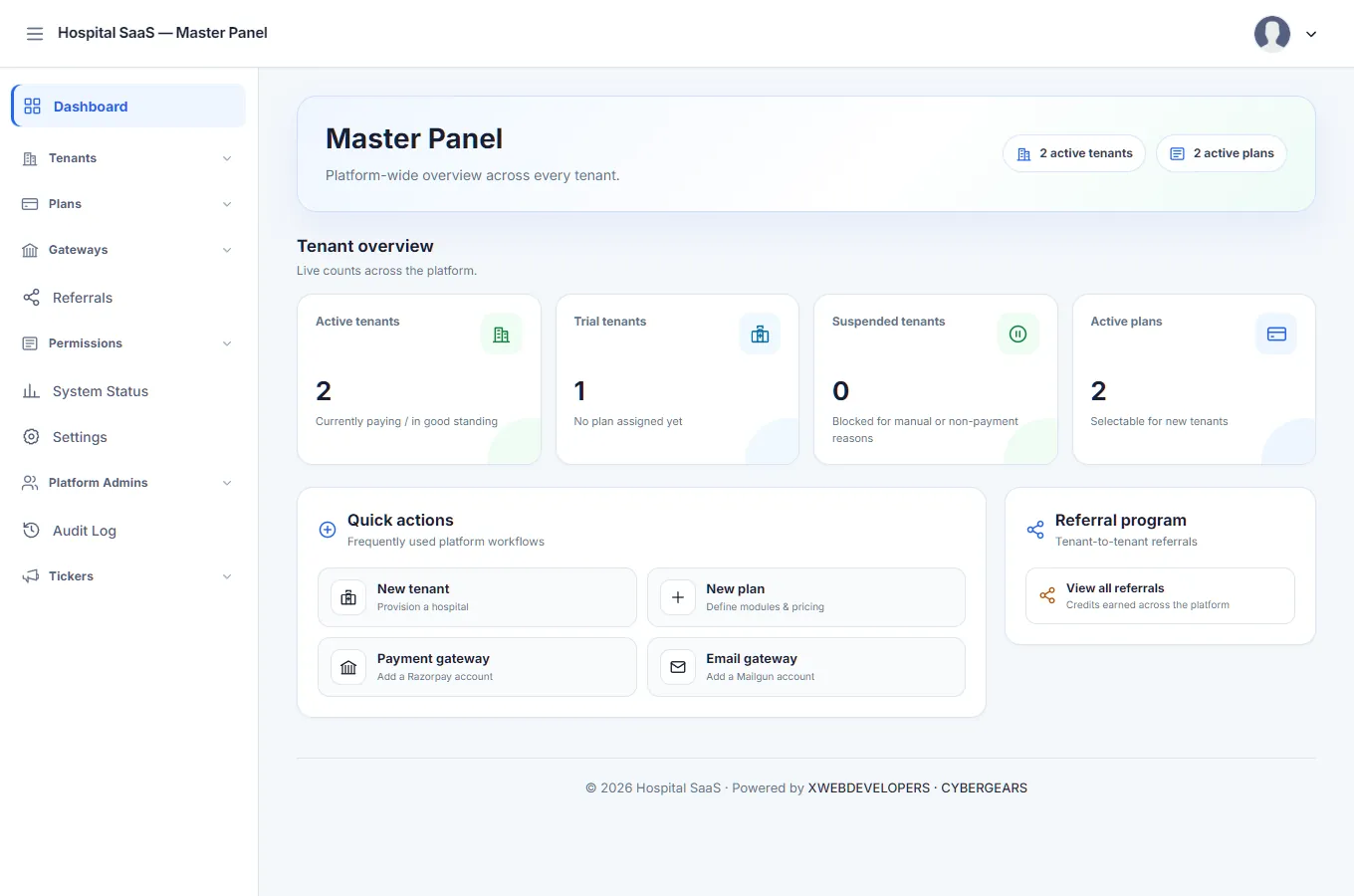
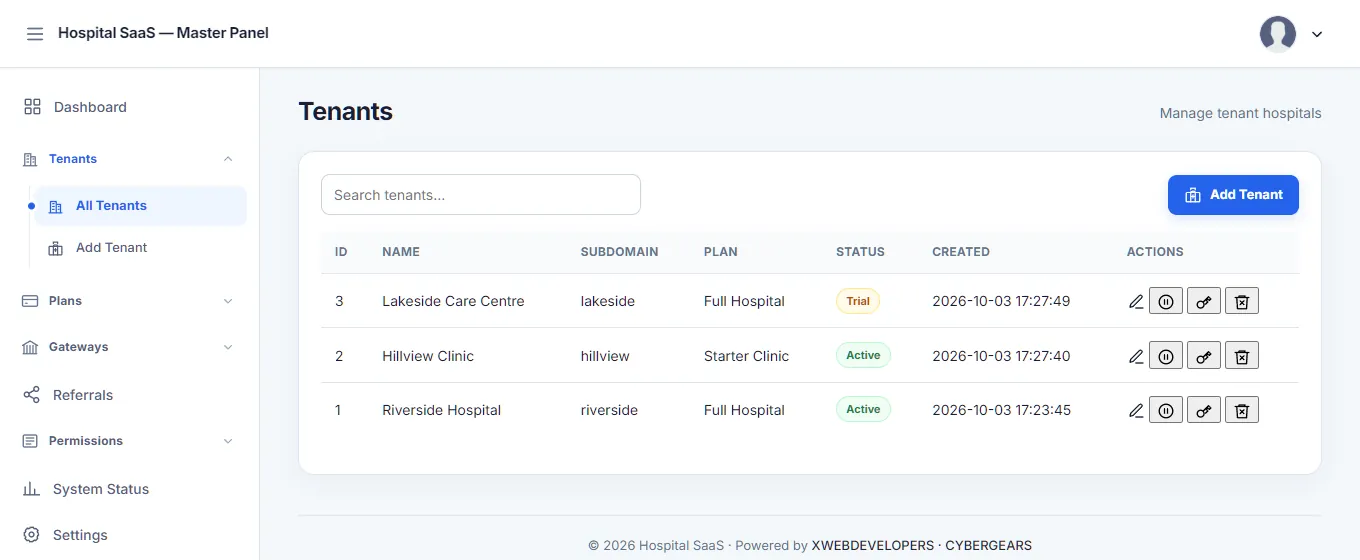
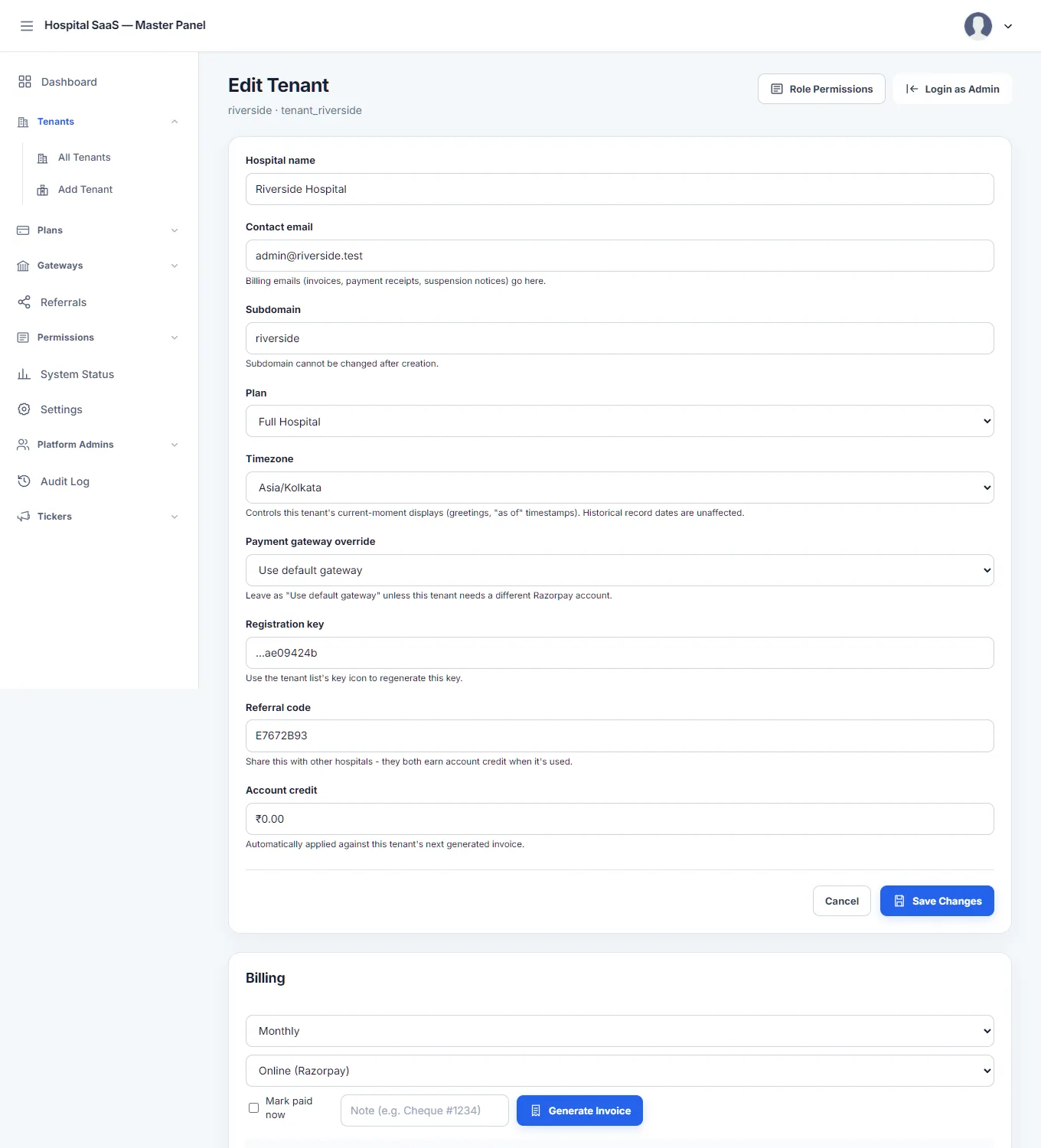
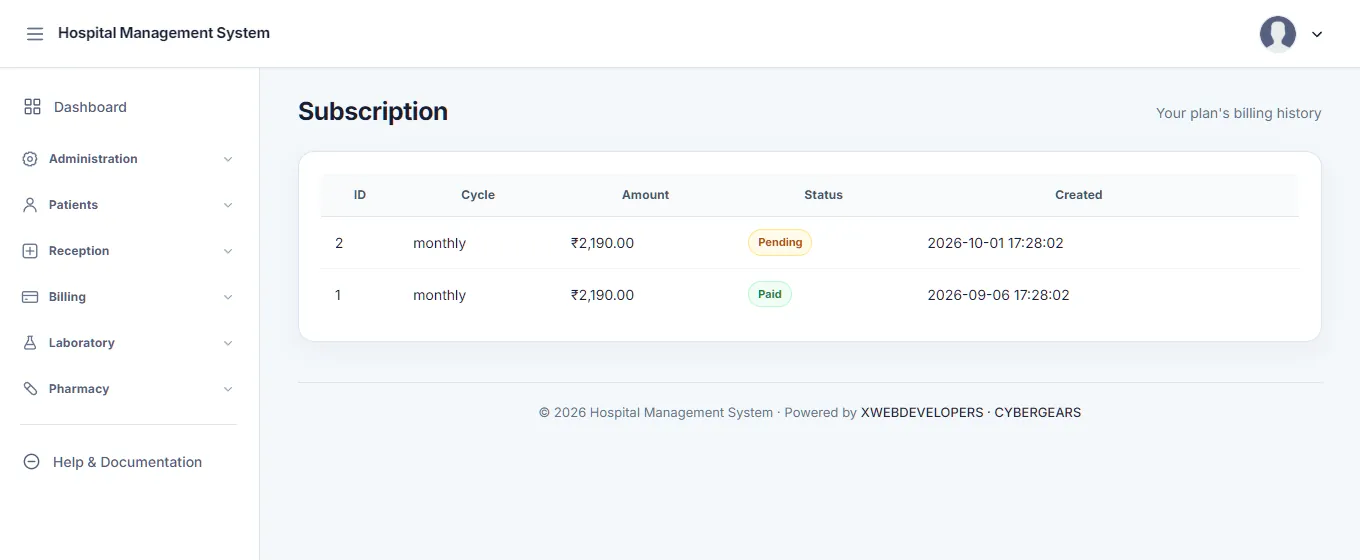
Every screenshot below is the running system, not a mock-up, on a made-up hospital I set up for this page. The patients are invented, with their names masked down to two letters and stars, and the phone numbers are masked too. I don't publish real patient screens, or the printed bills, which carry a real hospital's name.
The Master Panel
Where the business is run from.
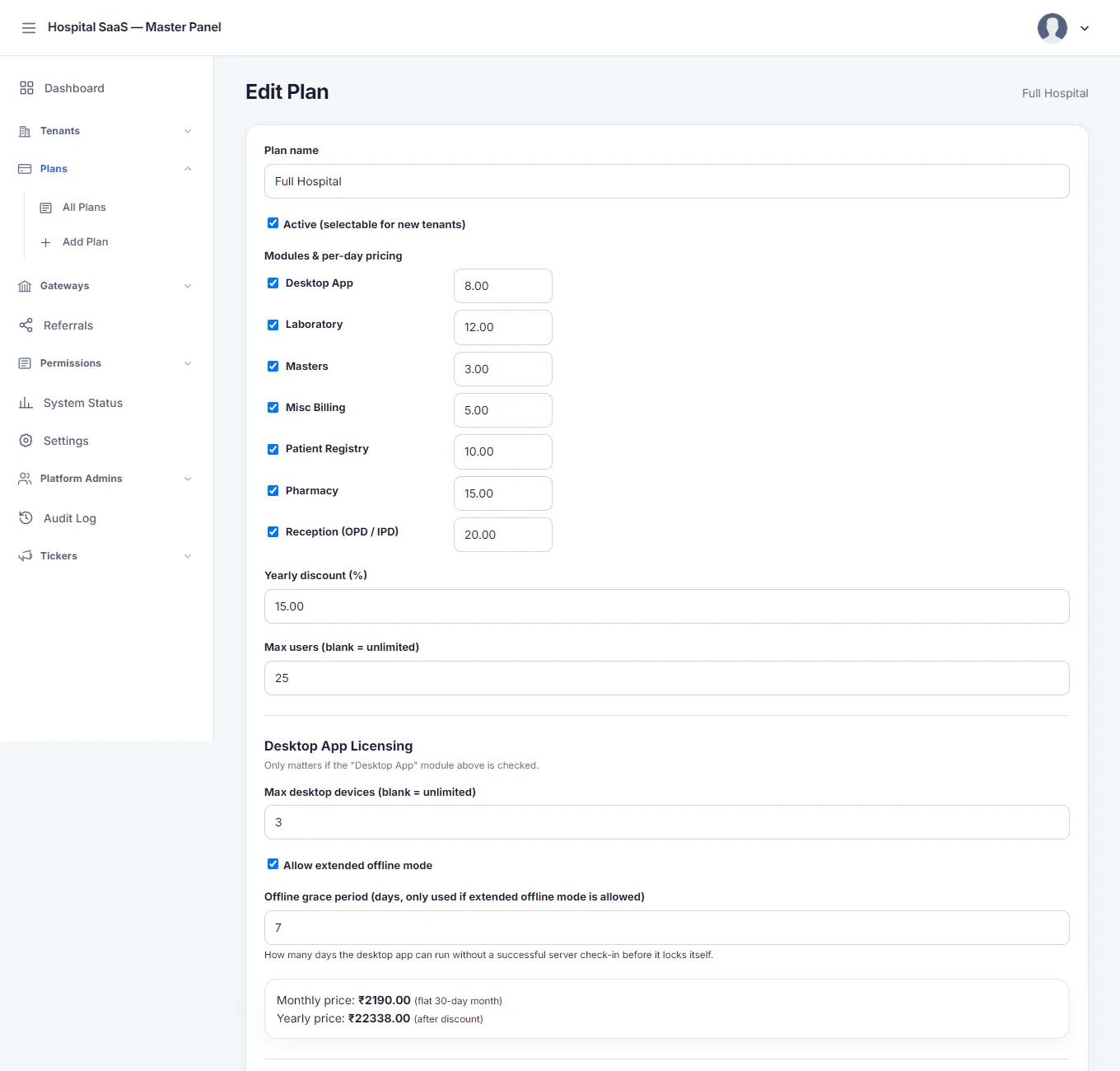
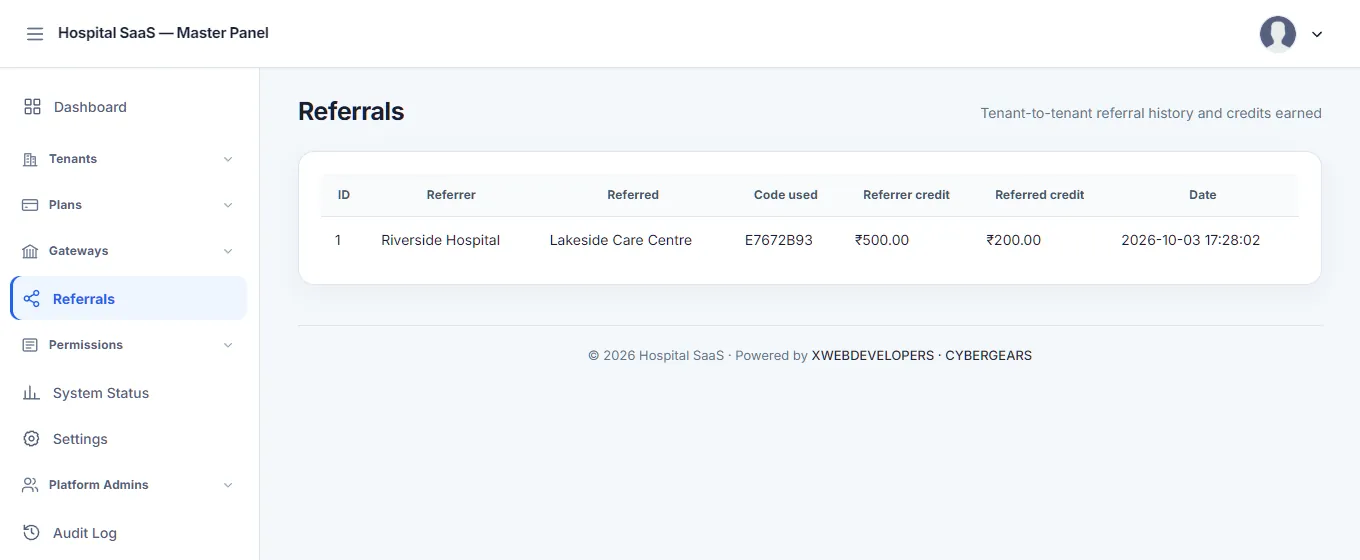
The platform owner's side, on its own address. The three hospitals below are made up for this page.
How it's built
A private database for every hospital.
The business side
The Master Panel: what turns software into something you can sell.
This is a separate panel, on its own address and its own database, that only the platform's owner and staff can open. A hospital never sees it.
Hospitals
- Create a hospital and its database is built for you from the schema, with its first admin.
- Suspend, reactivate or delete one, and change its plan.
- A registration key for each hospital, which can be rotated to cut off every desktop app that used the old one.
Plans and pricing
- A plan is a set of modules, each with a price per day.
- Limits per plan: users, and for the desktop app the number of devices, whether it may work offline and for how many days.
- Yearly pricing with a discount you set.
Billing
- Invoices generated each cycle, paid by Razorpay checkout or recorded by hand.
- Seven days to pay, three days of grace, then an automatic suspension and an automatic reactivation on payment.
- Referral credit: a hospital that refers another gets Rs 500 off its next invoice and the new one gets Rs 200.
- Gateway keys are encrypted in the database with AES-256-GCM.
Running the platform
- A system status page and a platform-wide audit log.
- Announcements that appear in both the web app and the desktop app.
- Role templates: the permission list and the six default roles are defined once and synced into every hospital, with per-hospital changes allowed.
- Support sign-in: open a hospital's admin screen through a time-limited, logged token, without the admin's password.
- Master admins have their own accounts, and can change their own password.
Try it
How a plan is priced.
The rule in the platform: a month is 30 days, so the monthly price is the sum of each chosen module's price per day times 30, and the yearly price is twelve months less the yearly discount. The per-day prices below are examples I made up, not a price list. Change them, switch modules on and off, and watch the totals.
- Monthly (30 days)
- -
- Yearly, with the discount
- -
- Saved by paying yearly
- -
The platform doesn't yet stop you from selling a plan that leaves out a module another one relies on. That check was planned and isn't built.
The Windows app
Registering patients when the internet drops.
The same hospital, on a Windows desktop app made with Flutter, for a front desk where the connection comes and goes. It keeps a copy of the patient list on the computer, so reception can keep working.
- Works offline for: patients, OPD consultations and miscellaneous bills. They are saved on the PC and sent when the connection returns.
- Needs the server for: pharmacy billing and stock, IPD, lab, the payments desk and masters, because they depend on things only the server can hold, like stock and beds.
- No double numbers: the PC never makes a bill number. The server does, when the record arrives, and a retry can't create a duplicate.
- Two-way: patients added anywhere else flow down into the app.
- Licensed per plan: a limit on devices, a registration key, and an offline period after which the app must check in again. A hospital can free a device slot itself.
- The same look as the web app, so staff don't learn two systems.
Offline in four steps
- The front desk adds a patient. The PC saves it with a unique id and marks it "waiting to send".
- When the server can be reached, the app sends it.
- The server checks the id. A new one is created, a repeated one returns the same record.
- The patient number is assigned by the server and the app marks the record as sent.
What it needs
To run it.
| Web server | PHP 8 on Apache or similar, with wildcard DNS and a wildcard certificate so each hospital gets its own subdomain. |
| Database | MySQL: one platform database and one database per hospital. |
| Framework | None. A small PHP core of my own, with no Composer packages. |
| Desktop app | Windows. Flutter, with a local SQLite copy of the data it works on. |
| Services | Razorpay for subscription payments and Mailgun for email, each configured in the Master Panel. |
Being honest
What isn't proven yet.
- The screenshots are dummy data. The hospital, patients and invoices are invented, and names are masked. The app itself is real.
- Not on sale and no customers. It has been built and tested on my own setup, not run for paying hospitals.
- Razorpay and Mailgun are untested against real accounts. The billing logic is tested; the live services are not.
- No OTP, SMS or passwordless login. Sign-in is by password.
- Offline sync between two desktop PCs on one network (so they can see each other's unsent patients) is built but not tried on two separate machines.
- Certificate pinning in the desktop app is written and unverified, because there is no production host to pin to yet.
- Several desktop screens were checked through the server's API, not by clicking through the window.
- Only the lab formula builder has automated tests. The rest was checked by exercising it against a real database.
- Plan module dependencies aren't enforced in the Master Panel.
- Windows only for the desktop app, and English only.
FAQ
Questions people ask first.
Is this a product I can buy today?
Not yet. It is built and tested end to end on my own setup, but it is not open for sale and I am not claiming paying hospitals. If you run a hospital or a clinic and want to talk about it, get in touch.
Why a separate database for each hospital?
Because patient and billing data is sensitive. With a database per hospital, one hospital can never read another's rows by mistake, and one hospital can be backed up, restored or deleted without touching anyone else. The price is that a change to the database layout has to be rolled out to every hospital, which is why migrations are scripted.
Does it work offline?
Partly, on purpose. The Windows app can register patients, OPD consultations and miscellaneous bills with no connection and sends them when the connection returns. Pharmacy billing, IPD, lab, stock and masters need the server, because they use things only the server can hold, such as stock and beds.
Can two offline computers give the same bill number?
No. An offline computer never invents a receipt or bill number. It sends the record with a unique id of its own, and the server assigns the number when the record arrives. The same id also makes a retried upload safe, so a lost connection can't create a duplicate.
How does a hospital pay?
By subscription. A plan is a set of modules, each priced per day, billed monthly or yearly with Razorpay checkout and email notices through Mailgun. Neither service has been run against a real account yet: the code is written and tested against the platform's own rules, not against live Razorpay or Mailgun.
What happens if a hospital stops paying?
An invoice falls due after 7 days. After a further 3 days of grace the hospital is suspended automatically, and it is reactivated automatically as soon as a payment clears.
Who can see a hospital's data?
Only people with an account in that hospital, and only the parts their role allows. For support, a platform admin can sign in as a hospital's admin through a time-limited token that is written to an audit log, without ever seeing the admin's password.
Want the build story: why each hospital got its own database, the offline sync design, and the bugs found along the way?
Read the case study