Credentialing SaaS In development
Provider credentialing platform · by Shahrukh Sheikh
Healthcare operations · Laravel 13 · Filament 5 · Multi-tenant
Every provider credential in one place, centred on the provider.
Credentialing companies, medical groups and healthcare networks keep proving that a clinician is qualified, and enrolling them with insurers, in spreadsheets, inboxes and shared drives. This is the system meant to replace all three: one profile per provider, every licence and enrollment tracked, secure document requests, and expiry reminders that arrive before the problem does.
In development · Not launched · Screenshots are the real app on invented data, names masked
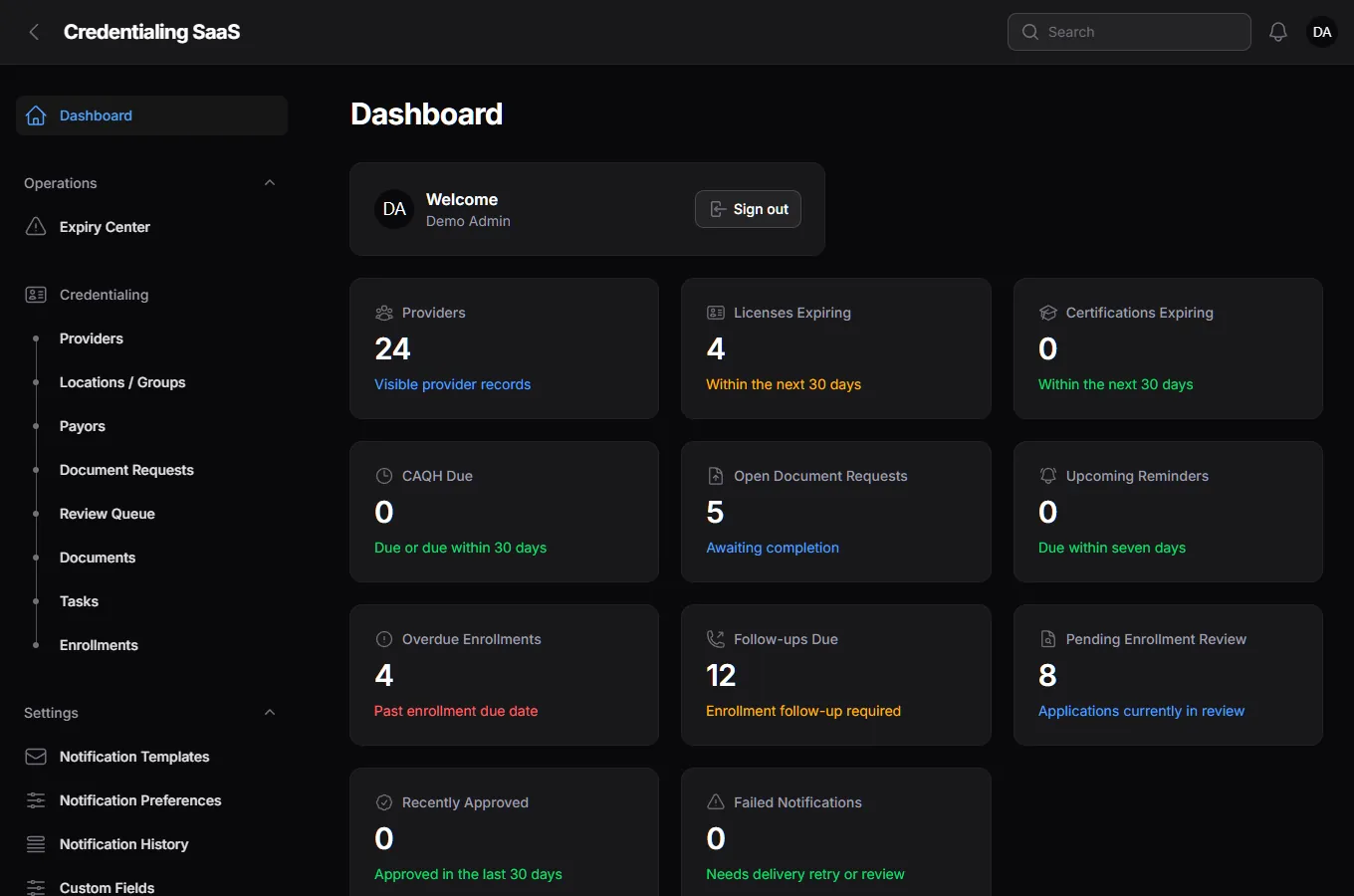
At a glance
The product in numbers
92
Automated tests, all passing
612 assertions, including tests that try to read another organization's data.
49
Database migrations
About 68,000 lines of application code, across 56 commits so far.
10
Enrollment stages
From draft to approved, active, denied, expired or terminated, with a history of every change.
0
Accounts a provider needs
Providers answer a document request through a secure link and never need to sign up.
Why it exists
Credentialing doesn't fail because of bad doctors. It fails because of lost paperwork.
A credentialing team looks after dozens or hundreds of providers. Each one has licences that expire, certificates, malpractice insurance, a work history, references and a list of insurers to be enrolled with, and each insurer has its own forms and its own pace. The truth about any one provider is spread across a spreadsheet, three inboxes and a shared folder.
That produces the same failures again and again: a licence quietly lapses, a document is requested twice, nobody knows which application is stuck, and there's no record of who did what. This product is built around one idea: the provider is the centre. Documents, enrollments and payors exist only to support a provider's credentialing, and never the other way round.
How it works
Six steps from a new provider to a finished enrollment.
Add
Create the provider, or import a batch, and assign them to a location.
Collect
Fill in their licences, certifications, history and insurance, or ask them to through a secure link.
Verify
Record verification for each credential and watch the profile completion climb.
Enrol
Create an enrollment for each insurer and move it through the workflow.
Follow up
Tasks, follow-up dates and an aging report keep every application moving.
Renew
The Expiry Center and reminders flag renewals before they become lapses.
The screens
The real app, on invented data.
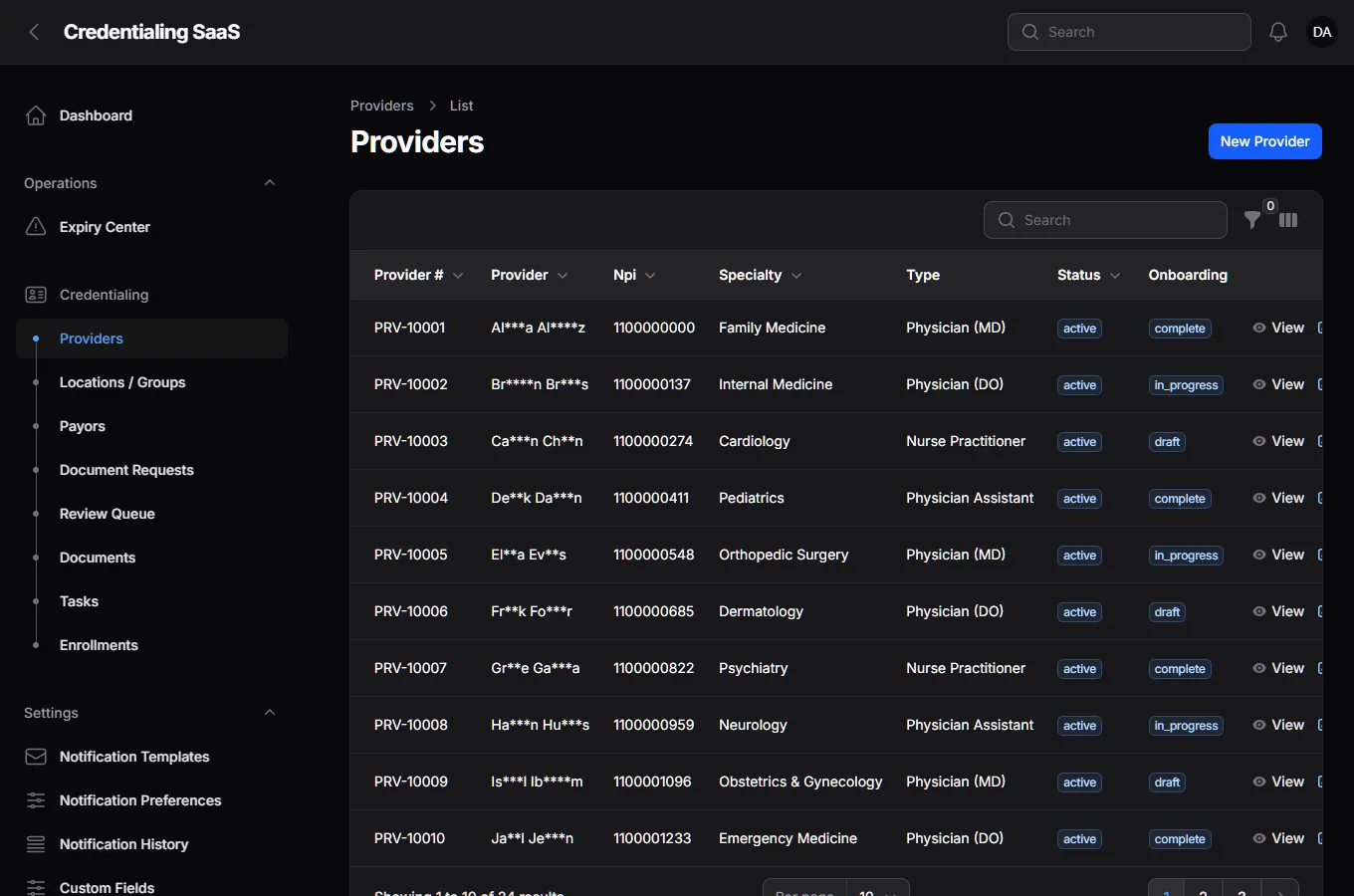
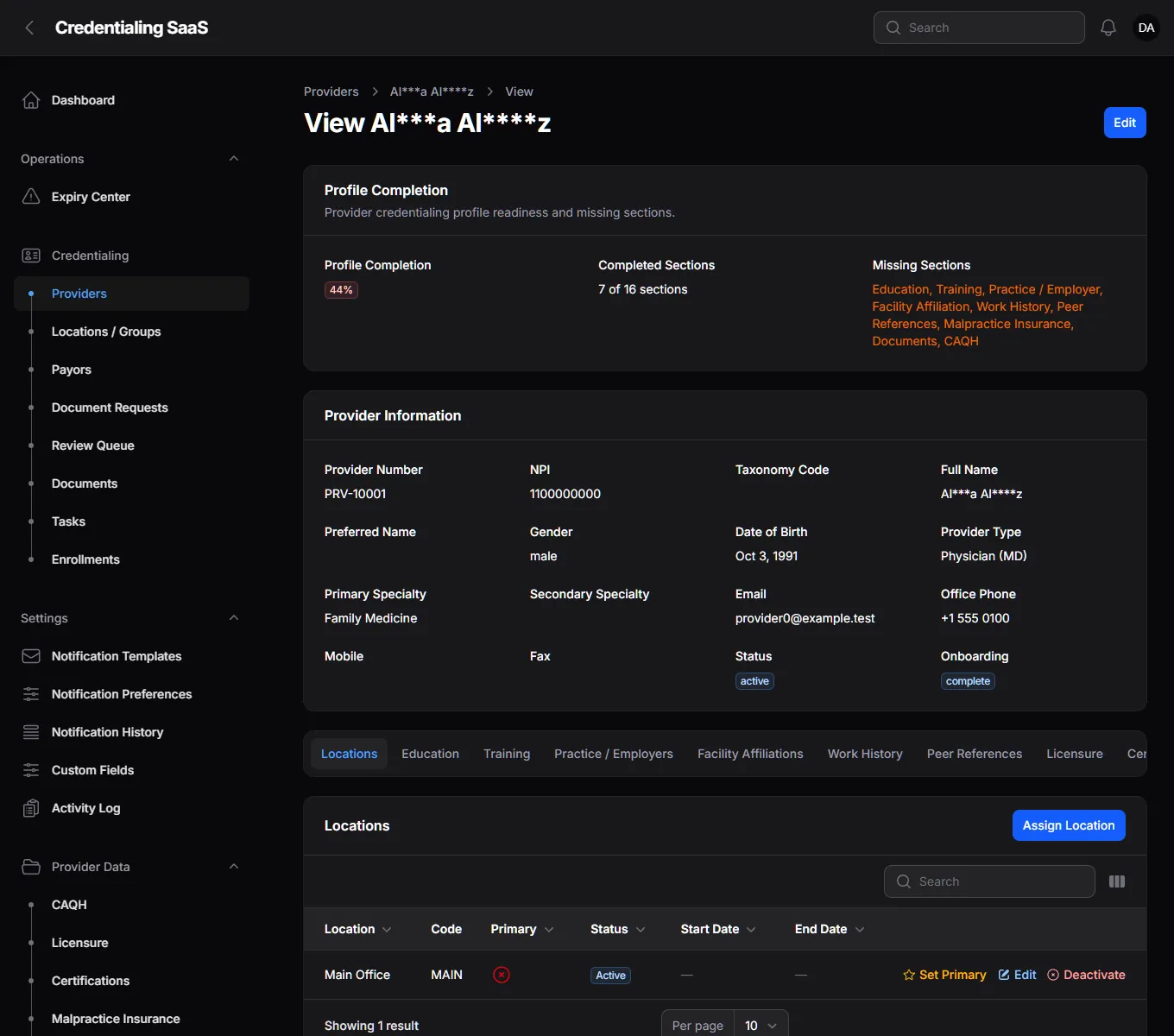
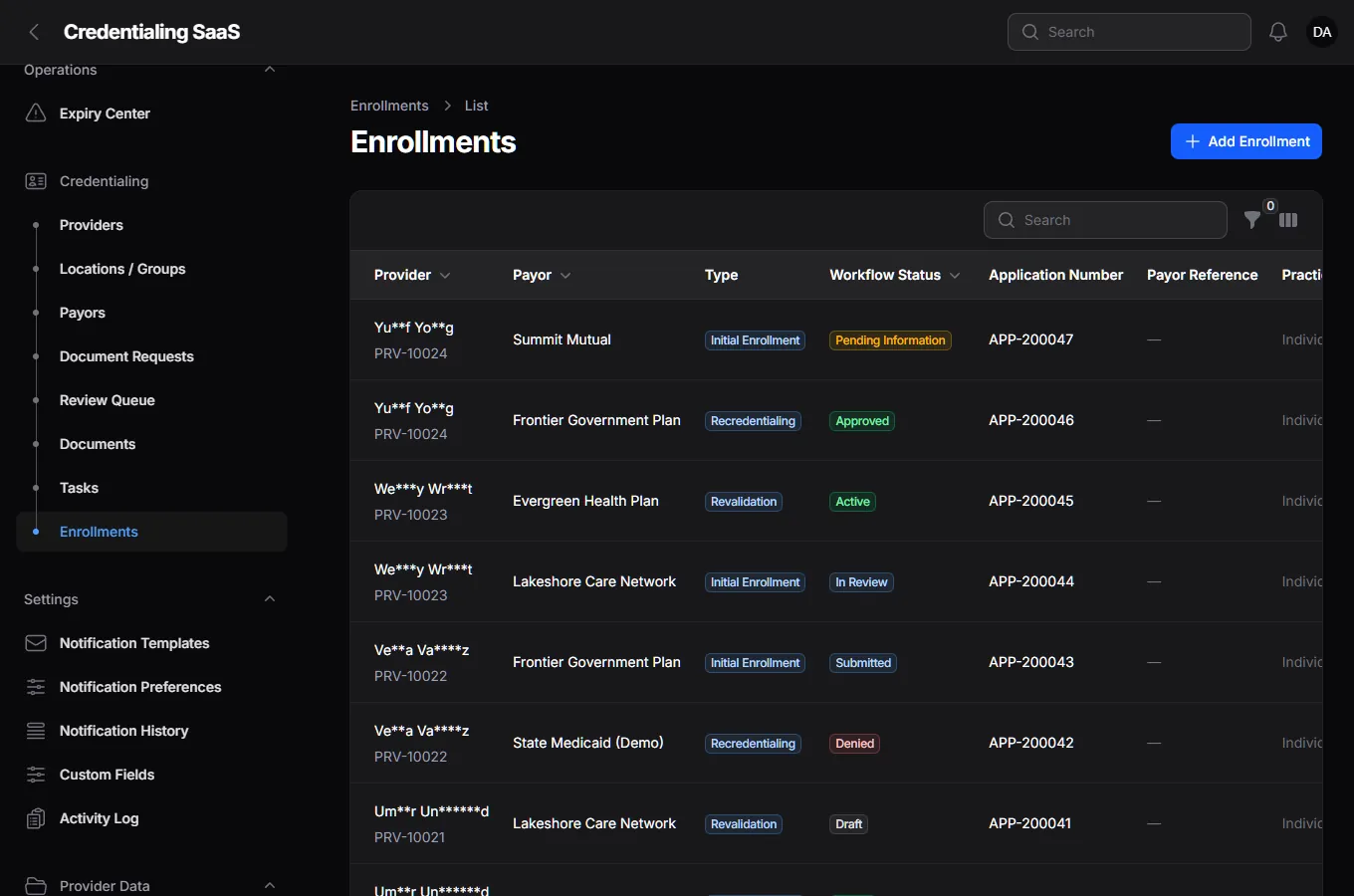
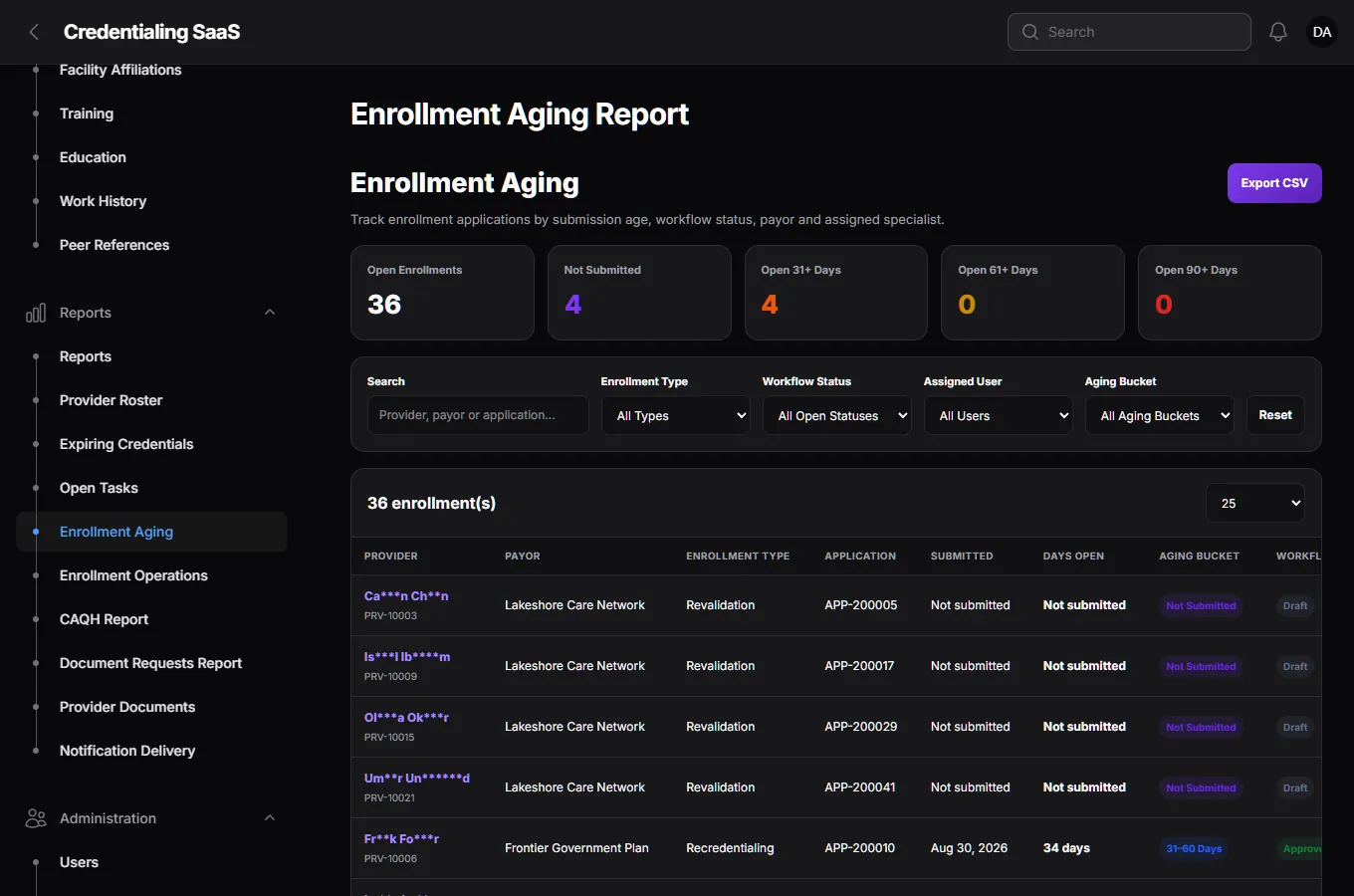
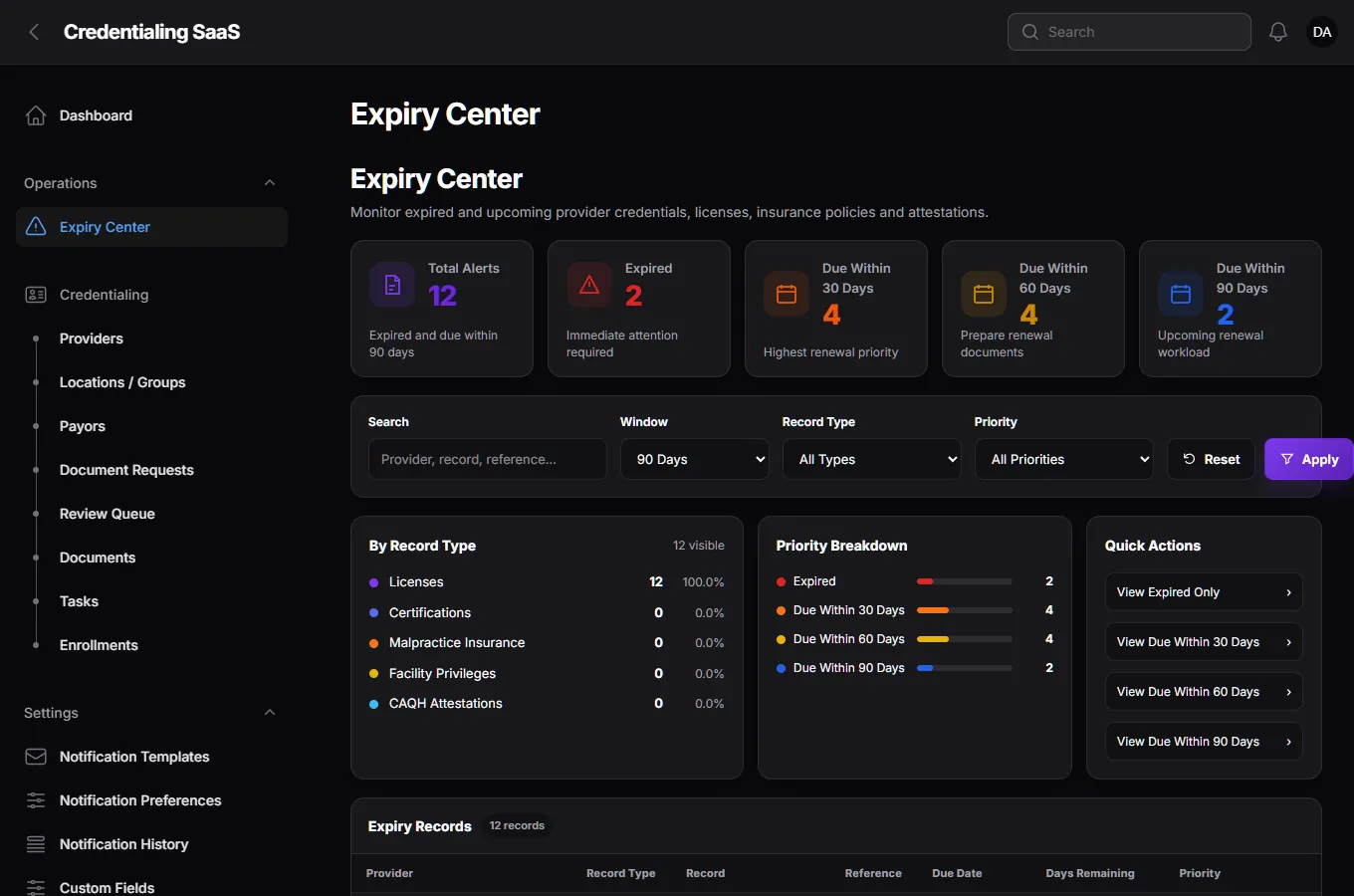
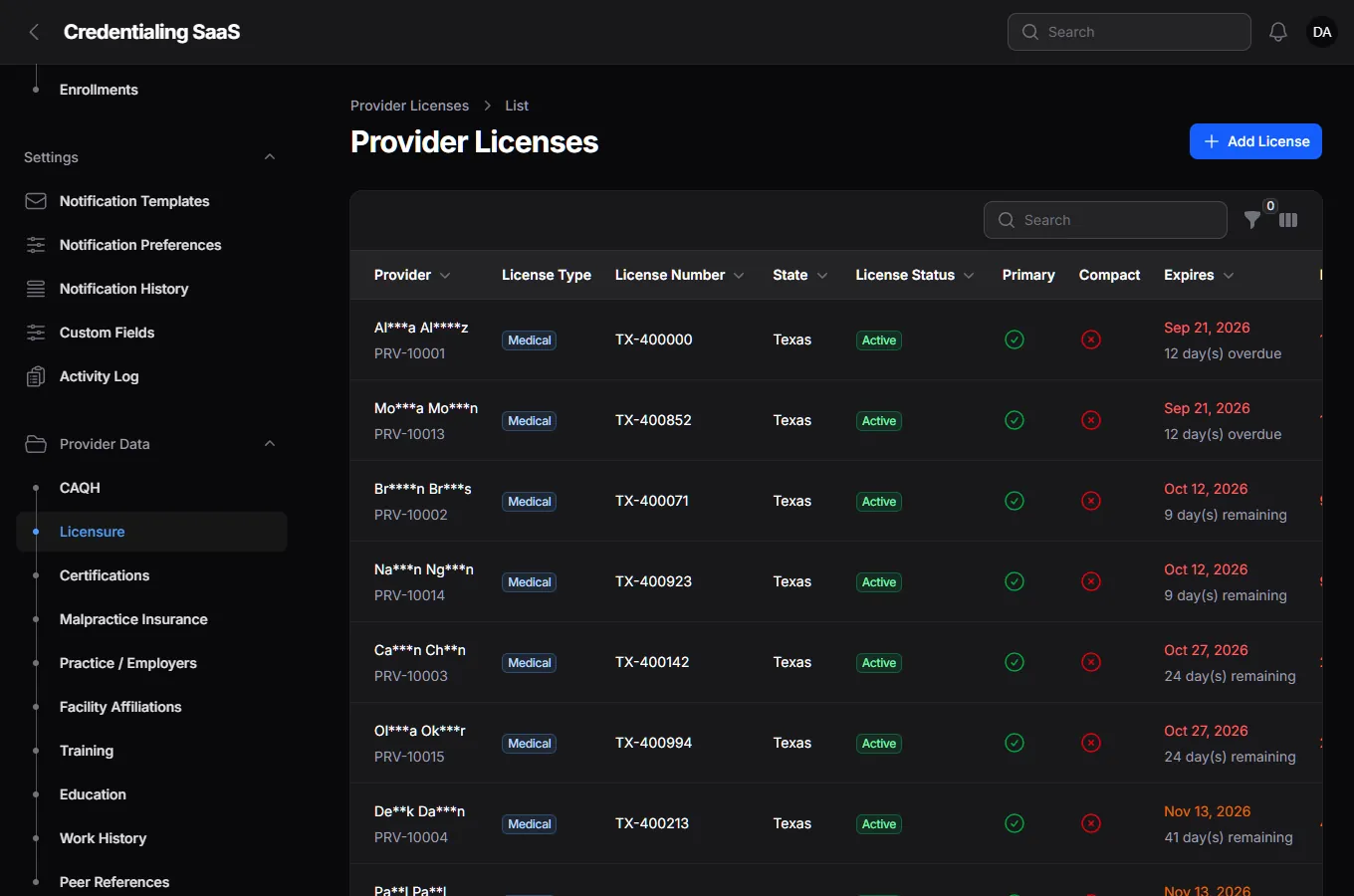
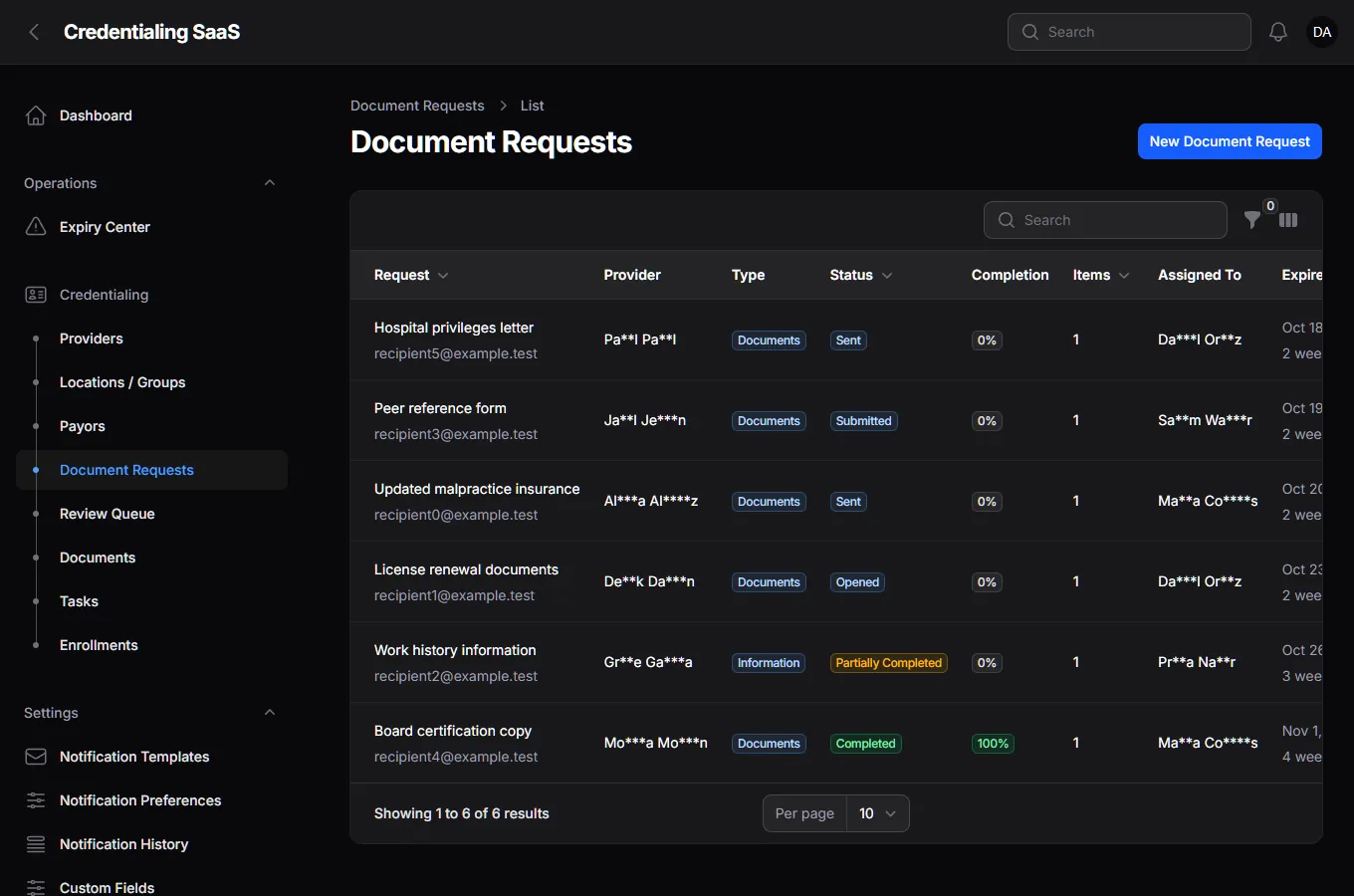
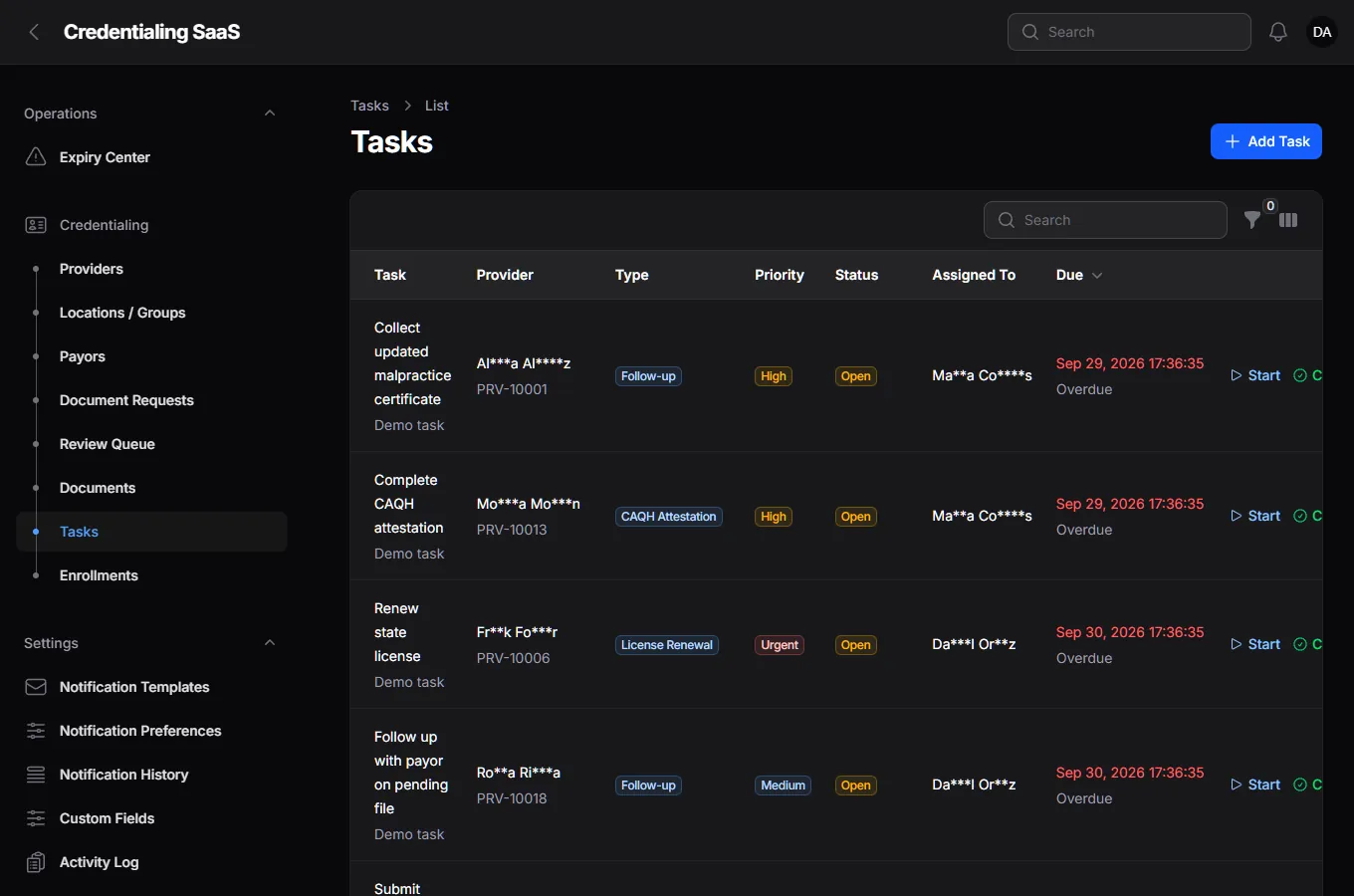
These are screenshots of the running admin app, on a demo organization I filled with made-up providers, insurers and requests. Every name is masked to two letters and stars, and the emails are placeholders. Nothing here is a mock-up.
Every feature
Everything the product does.
Provider profile
- One profile with number, NPI, specialty, type, status and onboarding state.
- Sections for education, training, practice and employers, facility affiliations, work history, peer references, licences, certifications, malpractice insurance, CAQH, documents, notes, tasks and locations.
- Profile completion that lists exactly which sections are still missing.
- Bulk import of providers, with its own security tests.
Payors and enrollments
- Payors by type: commercial, Medicare, Medicaid, government, workers' compensation.
- Provider-payor relationships with an identifier, network status and effective dates.
- Enrollments of type initial, revalidation or recredentialing, with an application number, submission and due dates and an assignee.
- Ten workflow statuses and a history of every change and who made it.
- Next follow-up dates, and an aging report by how long each application has been open.
Secure document requests
- Three kinds: documents, information, or both.
- A secure link for the provider or an outside contact. A long random token is shown once and only its hash is stored.
- Expiry, reminders and the ability to revoke a link by bumping its version.
- A rate limit on the public portal.
- A review queue: every submission is accepted or rejected by the team before it counts.
Expiry and reminders
- The Expiry Center buckets licences, certifications, malpractice insurance, facility privileges and CAQH items by how soon they expire.
- A daily scan at 06:00, a reminder scan at 06:15, reminders processed hourly, notifications every five minutes and a daily digest at 07:00.
- Templates and per-user preferences for notifications, plus a history of every delivery.
- Tasks created automatically from expiries, with an owner and a due date.
Reports
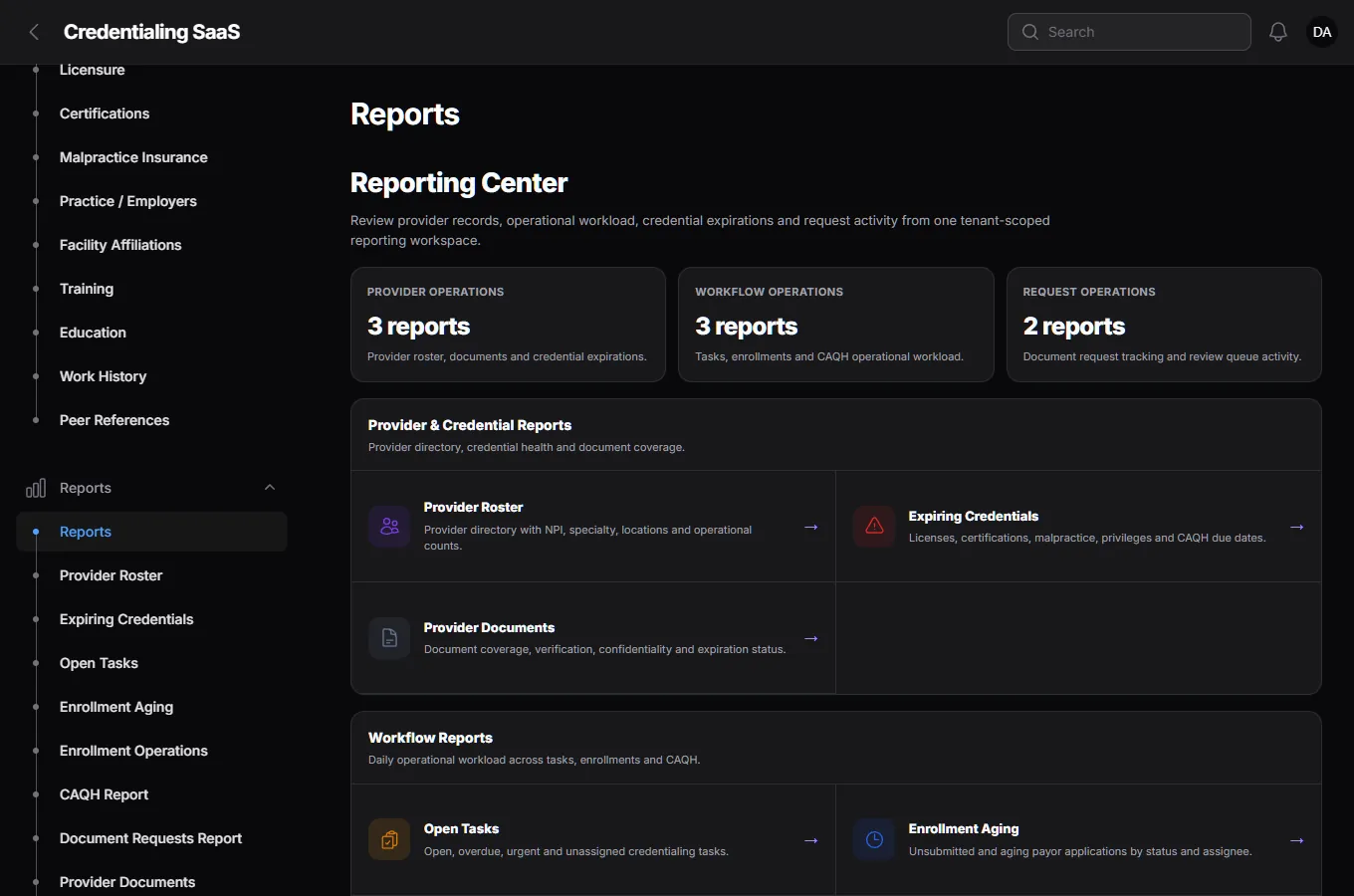
- A reports hub with provider roster, expiring credentials, provider documents, open tasks, enrollment aging and operations, CAQH, document requests and notification delivery.
- Filters by status, location, specialty and type, and CSV export on the reports that offer it.
- Dashboard cards for the numbers a manager checks first.
People and access
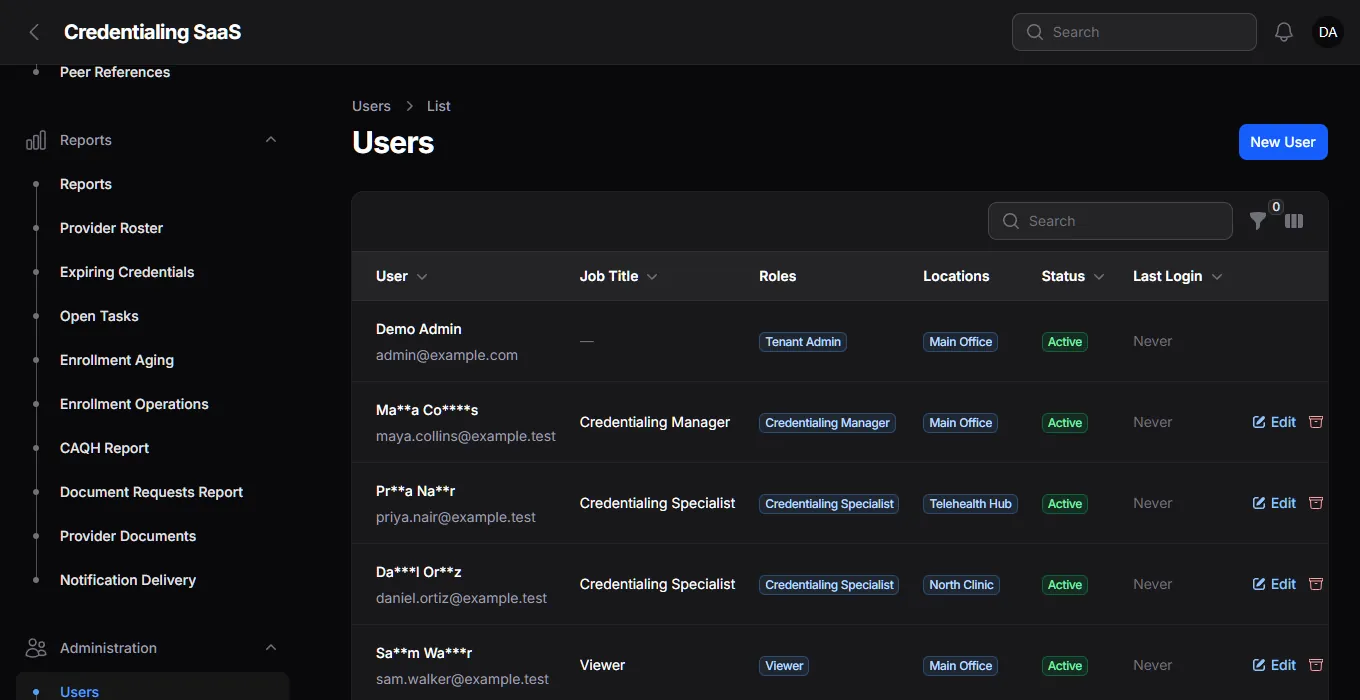
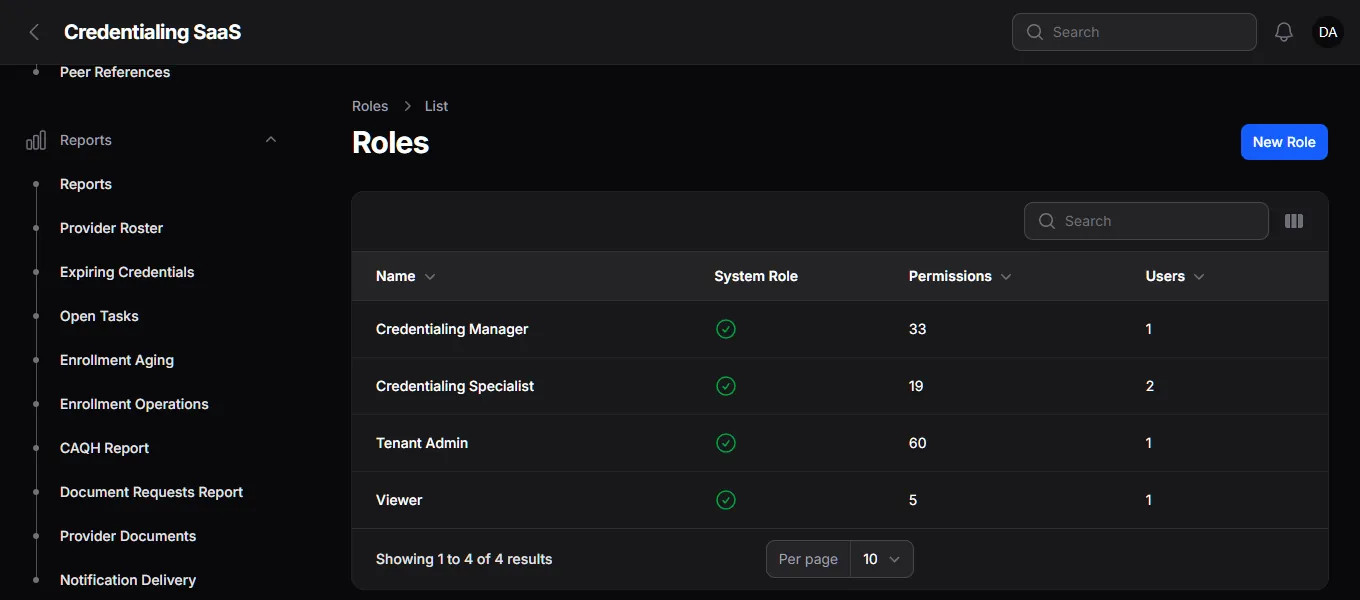
- Users, locations and roles. Four ready-made roles: Tenant Admin, Credentialing Manager, Credentialing Specialist and Viewer.
- Custom roles and a permission for each action.
- Locations or groups limit which providers a person can see.
- An activity log of changes, and custom fields each organization defines for itself.
More of the same, built the same way: custom fields, with a sensitive kind that is encrypted; an in-app help centre; and an activity log for every change.
Reports and access
For managers and administrators.
The business side
A separate platform panel for the business behind the business.
The platform owner has a second panel, with its own sign-in, that never touches a customer's provider data. I don't show it here: it requires an authenticator-app code to sign in, which is itself a feature.
Plans and entitlements
- Plans with monthly and yearly prices and a trial period.
- Limits and switches: users, providers, locations, storage, exports, imports, advanced reports, document requests and custom fields.
- A snapshot of a plan's entitlements is taken when a subscription starts.
Billing
- Subscriptions, invoices and payments through Razorpay.
- A signed webhook that checks Razorpay's signature and ignores a duplicate or replayed event.
- Coupons with rules: new customers only, a number of cycles, a limit per organization.
- Pay-by-link pages for invoices and subscription authorisation.
Tenants and signup
- Self-serve signup with email verification through a signed link, rate-limited.
- Tenant management and provisioning from the platform panel.
- MFA is required for the platform super admin, using an authenticator app.
Built with
The stack.
| Framework | Laravel 13 on PHP 8.3, with Livewire. |
| Admin UI | Filament 5: two panels, one for each organization's team and one for the platform. |
| Access control | spatie/laravel-permission with a role set per organization, and policies on every resource. |
| Audit | spatie/laravel-activitylog, plus Laravel Pulse for health. |
| Database | MySQL, one shared database with an organization id on every tenant-owned table. |
| Payments | Razorpay for subscriptions and invoices. |
| Quality | PHPUnit (92 tests pass), with Larastan and Pint in the toolchain. |
Being honest
What isn't done or proven.
- Not launched. It has no customers, and I'm not claiming any.
- Razorpay hasn't been run against a live account. The billing code is tested, the live service is not.
- Not "HIPAA compliant". Compliance needs policies and reviews that code can't provide.
- One report page has a known fault and is being fixed.
- The screens use invented data and a dark theme only.
- Not every item in the security baseline is built. The written baseline sets the target, and the tests listed on this page show what is actually checked.
- English only, and set up for the US market first (US states, NPI numbers, CAQH).
FAQ
Questions people ask first.
What is provider credentialing?
Before a doctor or another clinician can see a health plan's members, their qualifications (licences, board certifications, insurance, work history) have to be verified and they have to be enrolled with each insurer. Credentialing teams track all of it, and many still do it in spreadsheets and email. This product replaces that.
Is it available to buy?
Not yet. It is in active development and not launched, with no customers claimed. The screens on this page are the real app running on invented data.
Are the people on the screenshots real?
No. Every provider, staff member, payor and request is invented for this page, and the names are masked down to two letters and stars.
How does a provider send documents without an account?
The team creates a request and the provider gets a secure link. They open it, upload the items or answer the questions, and submit, with no account needed. The link expires (14 days by default), can be revoked, and everything submitted lands in a review queue for the team to accept or reject.
Is one organization's data kept apart from another's?
Yes. Every tenant-owned record carries its organization's id, and the data layer adds that filter to every query. If the app can't tell which organization is asking, it returns nothing rather than everything. Automated tests try to cross the line on purpose.
Is it HIPAA compliant?
I don't claim that, and the project's own security document says why: software alone doesn't make an organization compliant. The product is built to a written security baseline, but compliance also needs policies, contracts, risk assessments and legal review that sit outside the code.
How is it paid for?
Organizations subscribe to a plan through Razorpay. A plan sets limits (users, providers, locations, storage) and switches features on or off (exports, imports, advanced reports, custom fields). There are invoices, payments and coupon campaigns, and the Razorpay webhook is signature-checked and de-duplicated. It has not been run against a live Razorpay account.
Want the build story: why the provider is the centre, how tenant isolation fails closed, and how a document link is kept safe?
Read the case study